
Reports & Analytics in CallGauge AI
Learn how to review call activity, marketing attribution, AI insights, agent performance, caller geography and conversion data across six reports.
Understand Your Reporting Options
CallGauge AI includes six reports that help you monitor call demand, campaign performance, conversation insights, team activity, caller geography and progress through the conversion funnel. Each report includes focused metrics, filters and visualisations for a different area of performance.
Call Performance
Review call volume, peak hours, source distribution, duration and transcription trends.
Marketing Performance
Measure attribution coverage, ROI, revenue, cost per call and conversion progress.
Team Performance
Compare calls handled, answer rates, handle time and conversion across agents.
Caller & Business Insights
Understand caller locations, line types, repeat callers and funnel movement.
Reports Available in CallGauge AI
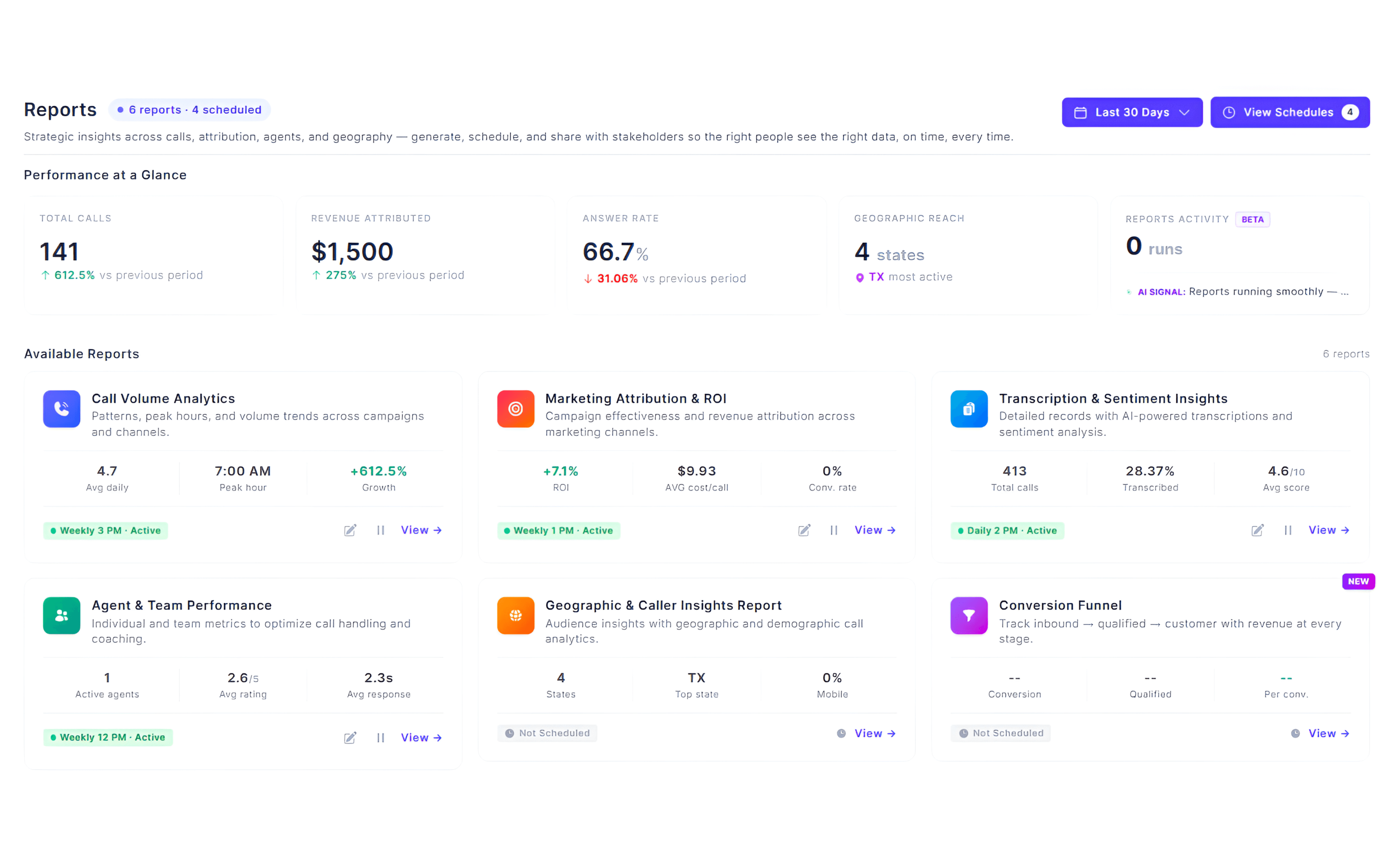
The Reports area includes Call Volume Analytics, Marketing Attribution & ROI, Transcription & Sentiment Insights, Agent & Team Performance, Geographic & Caller Insights and Conversion Funnel.
Review Performance at a Glance
Open the Reports page to view a high-level summary of your business performance. The Performance at a Glance section highlights key metrics such as total calls, attributed revenue, answer rate, geographic reach and report activity, helping you quickly understand overall performance.
Quick Performance Overview
The Performance at a Glance cards provide a snapshot of your most important reporting metrics. Use them to identify trends before exploring individual reports for more detailed analysis.
Expected Result
You can quickly review your overall business performance before opening individual reports.
Review Call Performance Reports
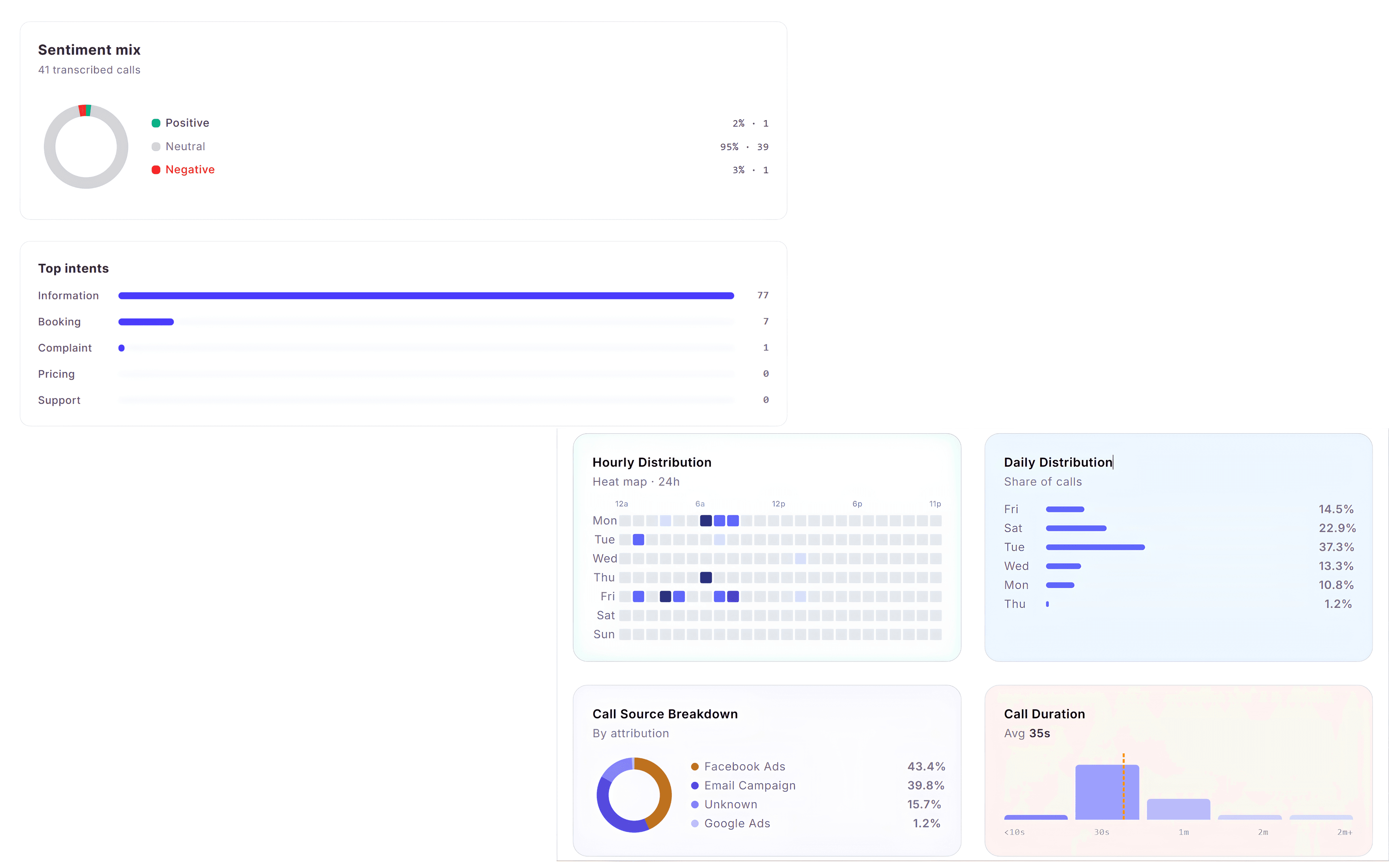
Call Performance Reports help you understand call activity, answer rates, call trends and conversation insights. Use Call Volume Analytics to monitor inbound call patterns and Transcription & Sentiment Insights to review transcription coverage, detected sentiment, AI call scores and recurring conversation topics.
Two Reports, One Goal
Use Call Volume Analytics to understand when and where calls are occurring. Use Transcription & Sentiment Insights to understand what happened during those conversations through AI-powered analysis.
Expected Result
You can analyse both call activity and conversation insights to better understand customer interactions.
Review Marketing Performance Reports
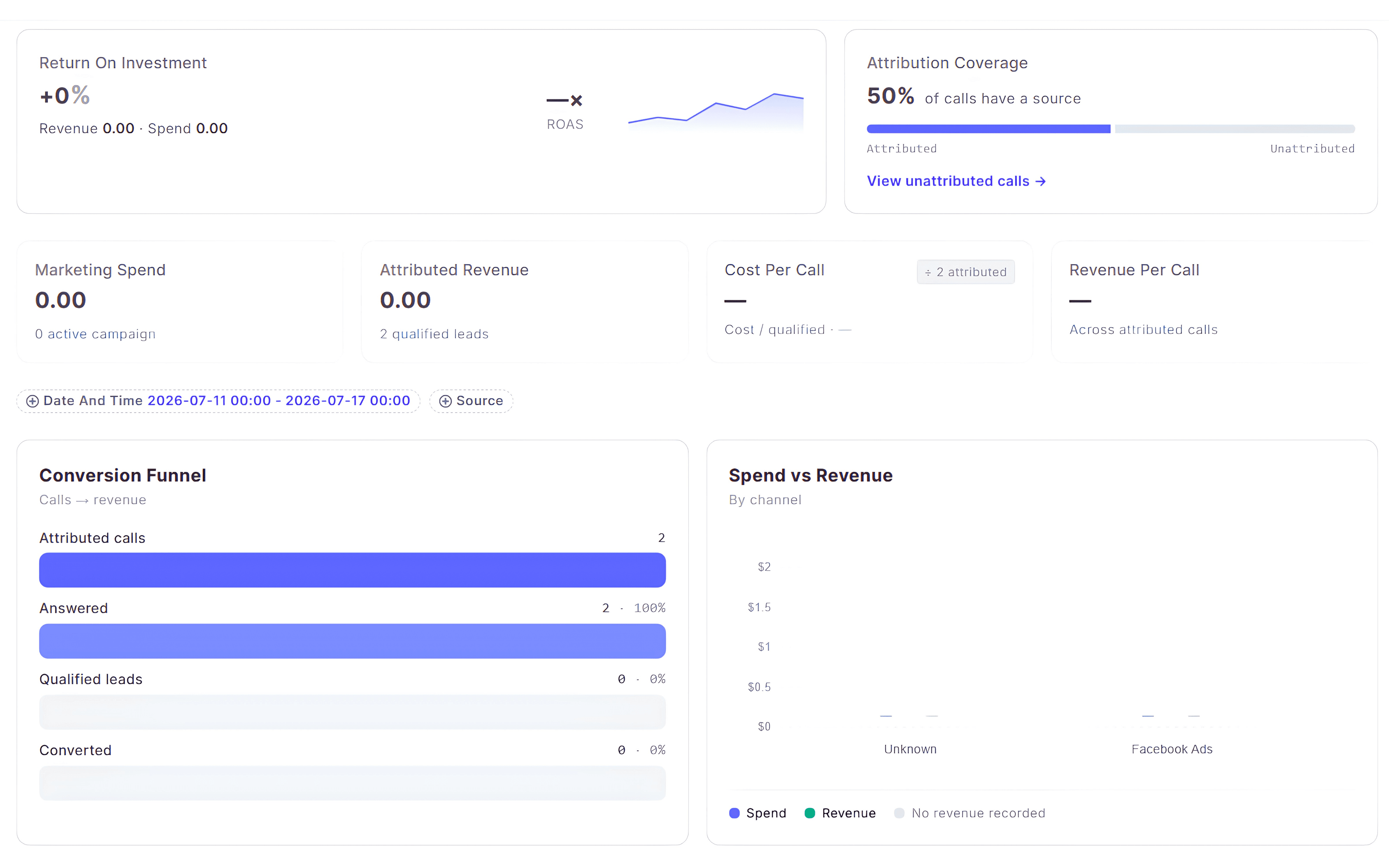
Marketing Performance Reports help you measure how your marketing campaigns contribute to inbound calls, revenue and conversions. Use Marketing Attribution & ROI to evaluate campaign performance and Conversion Funnel to understand how callers progress from their first interaction to becoming customers.
Marketing Attribution & ROI
Review attributed revenue, return on investment, cost per call and campaign performance.
Conversion Funnel
Track how callers move through each stage of your sales or enquiry process.
Campaign Performance
Compare marketing channels to identify which campaigns generate the best results.
Conversion Insights
Identify where prospects drop off and discover opportunities to improve conversion rates.
Measure Marketing Success
Review Marketing Attribution & ROI to understand campaign effectiveness, then use the Conversion Funnel report to identify where potential customers continue through or exit your sales journey.
Expected Result
You can measure marketing performance, evaluate campaign ROI and understand how callers progress through your conversion funnel.
Review Agent & Team Performance
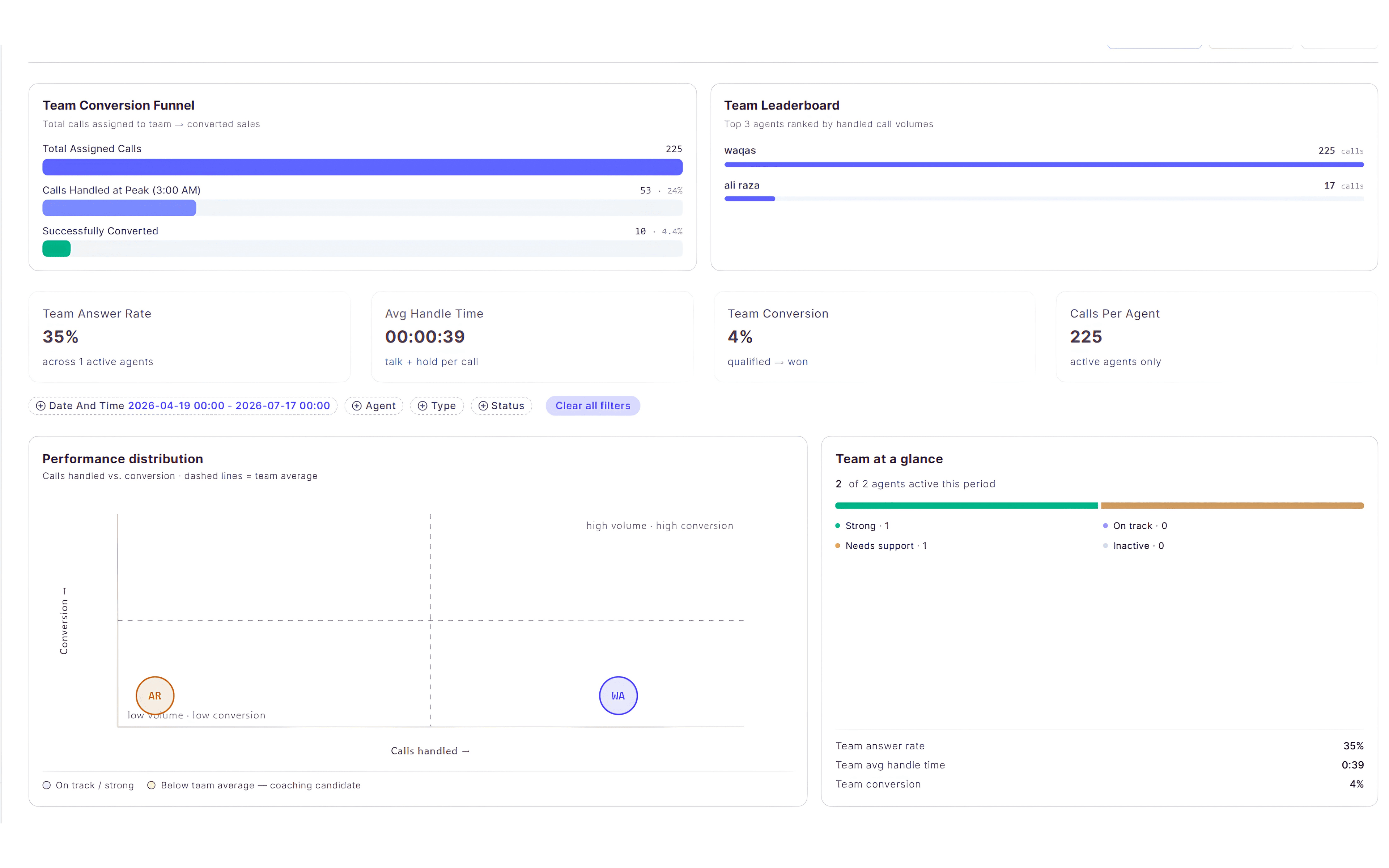
The Agent & Team Performance report helps you evaluate how your team handles inbound calls. Compare individual and team performance using key metrics such as calls handled, answer rate, average handle time and conversion rate, making it easier to identify top performers and coaching opportunities.
Identify Coaching Opportunities
Use this report to compare performance across your team, recognise top performers and identify areas where additional training or process improvements may be beneficial.
Expected Result
You can monitor team performance and identify opportunities to improve call handling and conversions.
Review Geographic & Caller Insights
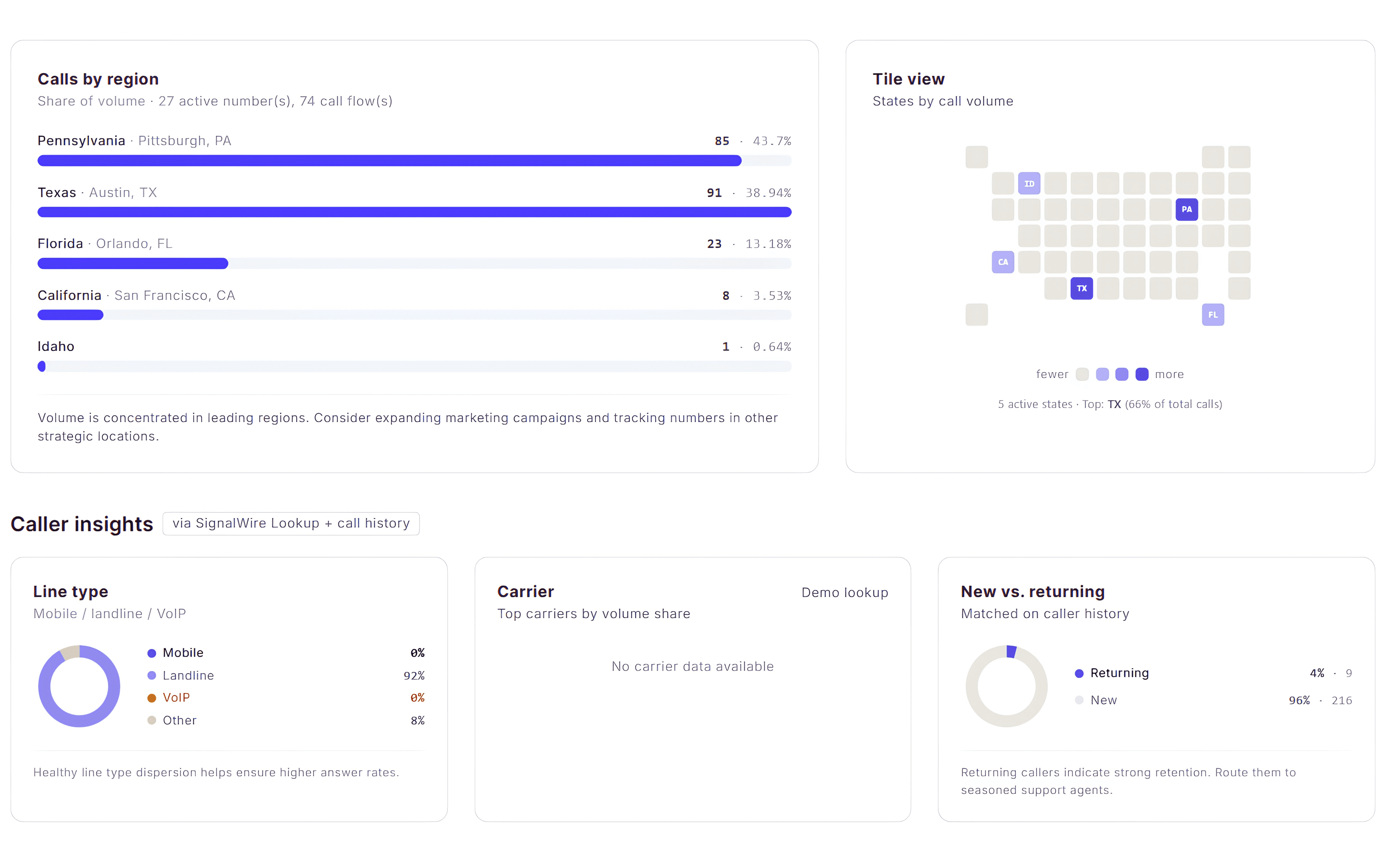
The Geographic & Caller Insights report helps you understand where your callers are located and how they interact with your business. Use this report to identify your strongest regions, monitor caller distribution and better understand the types of calls your business receives.
Understand Where Your Calls Come From
Geographic insights help you identify where your callers are located so you can evaluate regional demand, optimise marketing campaigns and better support customers in your most active areas.
Expected Result
You can understand where your callers are located and identify geographic trends that support better business and marketing decisions.
Export & Schedule Reports
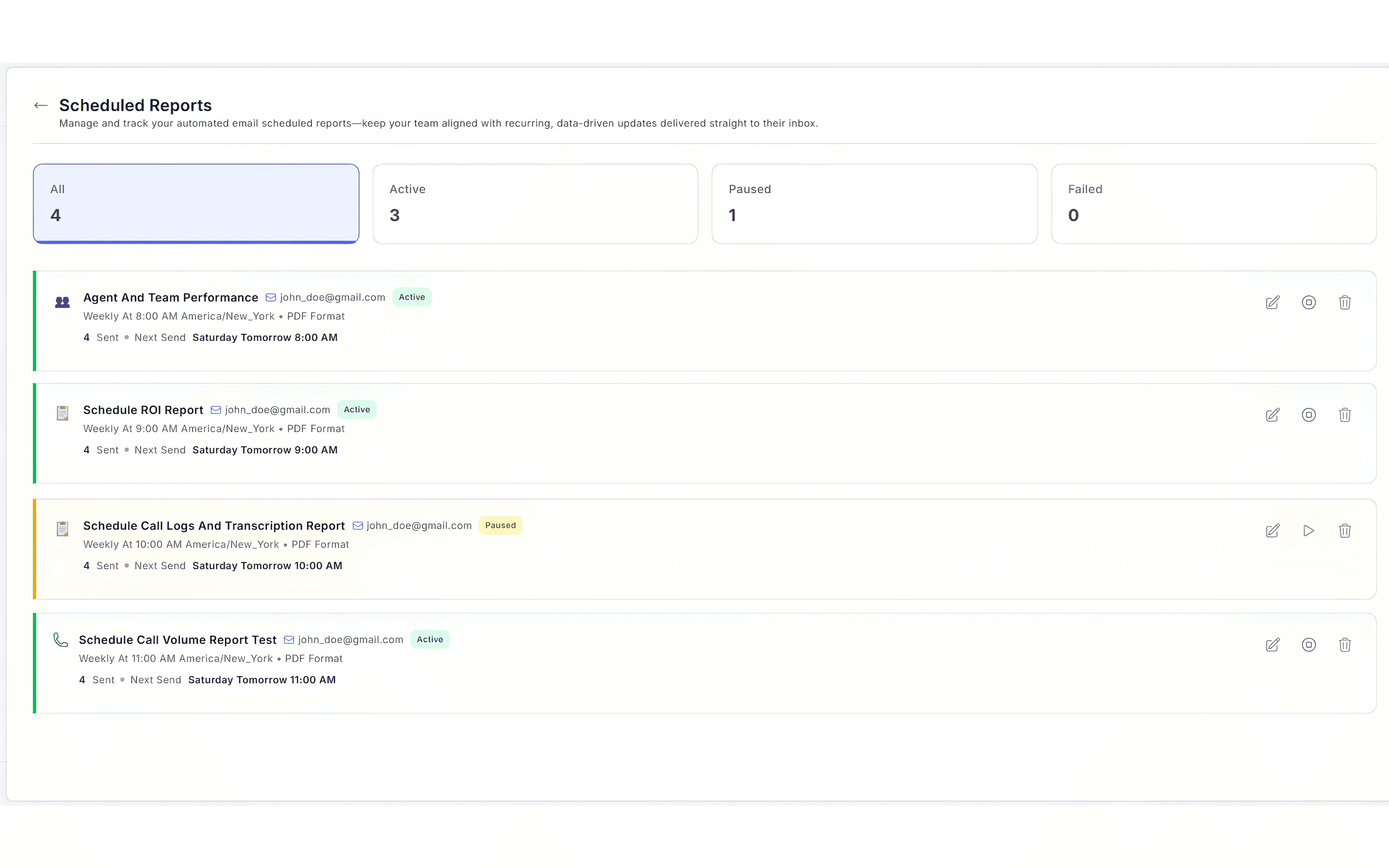
After reviewing your reports, you can export them for sharing or schedule recurring reports to keep your team informed. The Reports dashboard also allows you to refresh report data and manage existing report schedules from one place.
Share Insights Automatically
Export reports whenever you need a snapshot of performance, or create scheduled reports so stakeholders receive the latest business insights automatically without manually generating reports each time.
Expected Result
Your reports can be exported, scheduled and shared with your team whenever you need the latest performance insights.
Next Steps
You're Ready to Monitor Performance
You now know how to review your reports, analyse call activity, measure marketing performance, evaluate team results, understand caller geography and export reports to share with your team.
Recommended Next Guides
Need help with reporting?
Contact our support team at support@callgauge.ai if you need assistance understanding your reports or configuring your reporting dashboard.
Contact Our Support Team
Get help with your CallGauge AI account, product setup, integrations or technical questions.