
AI Features in CallGauge AI
Learn how CallGauge AI helps you review AI summaries, transcripts, AI Call Intelligence and speaker-labelled conversations after an inbound call.
How AI Call Insights Work
After an eligible recorded call is processed, CallGauge AI can display AI-generated insights inside the call details. These insights help you understand the conversation without listening to the entire recording.
AI Summary
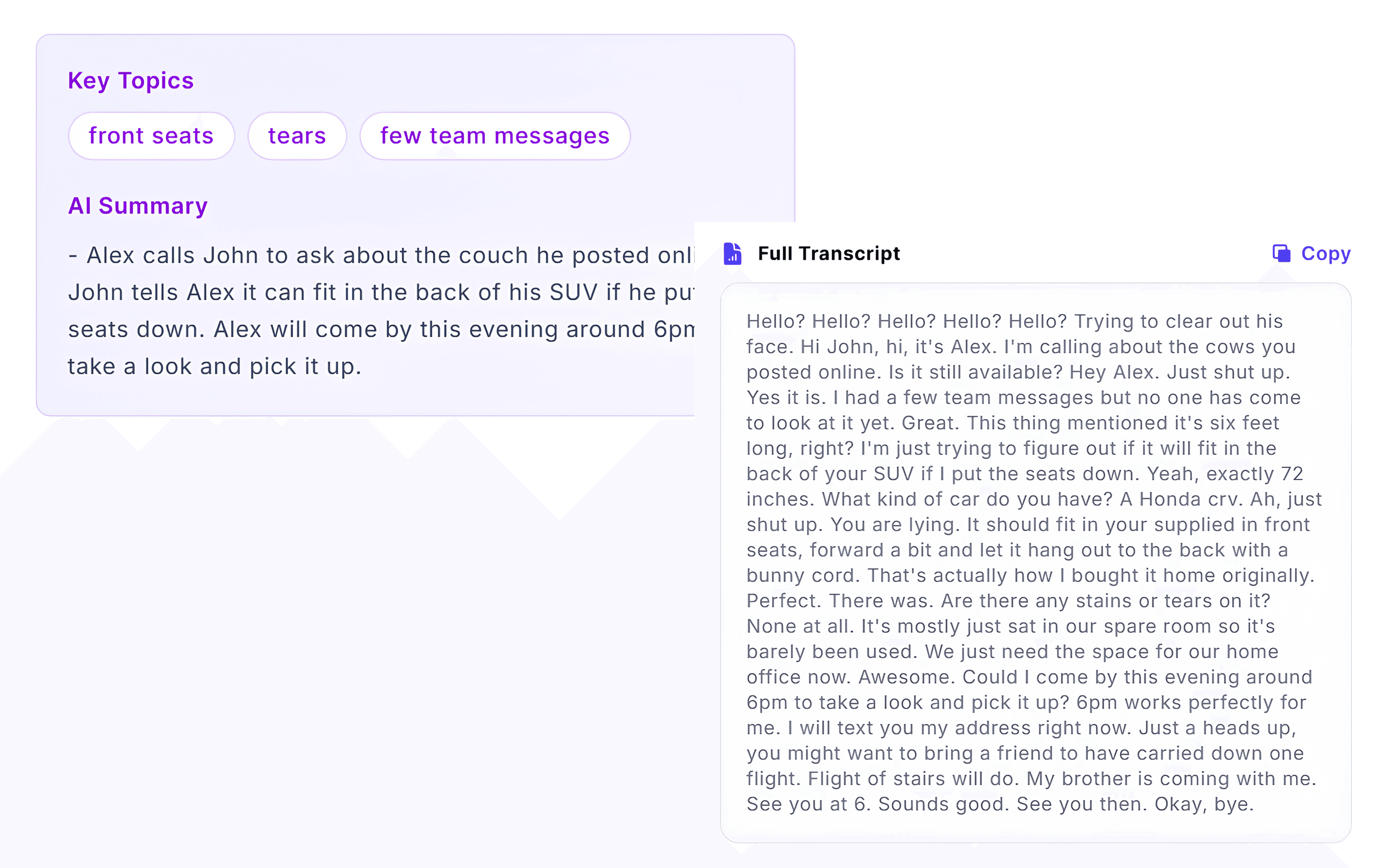
Review a concise overview of the conversation.
Call Transcript
Read the conversation between the caller and your team.
AI Call Intelligence
Review Call Score, Intent and Sentiment in one place.
Speaker Conversation
Follow speaker-labelled responses with timestamps.
Before You Begin
AI insights are generated after a supported recorded call has been processed. Availability may depend on your plan, call settings and the quality or length of the conversation.
Review AI Call Summaries
Open the Call Log and select a processed conversation. The AI Summary provides a concise overview of the main points discussed during the call.
Use the Recording for Verification
AI summaries help you review calls faster. For important decisions or unclear conversations, listen to the recording and review the transcript for additional context.
Expected Result
You can quickly understand the main purpose and outcome of the call.
Read Speaker-Labelled Call Transcripts
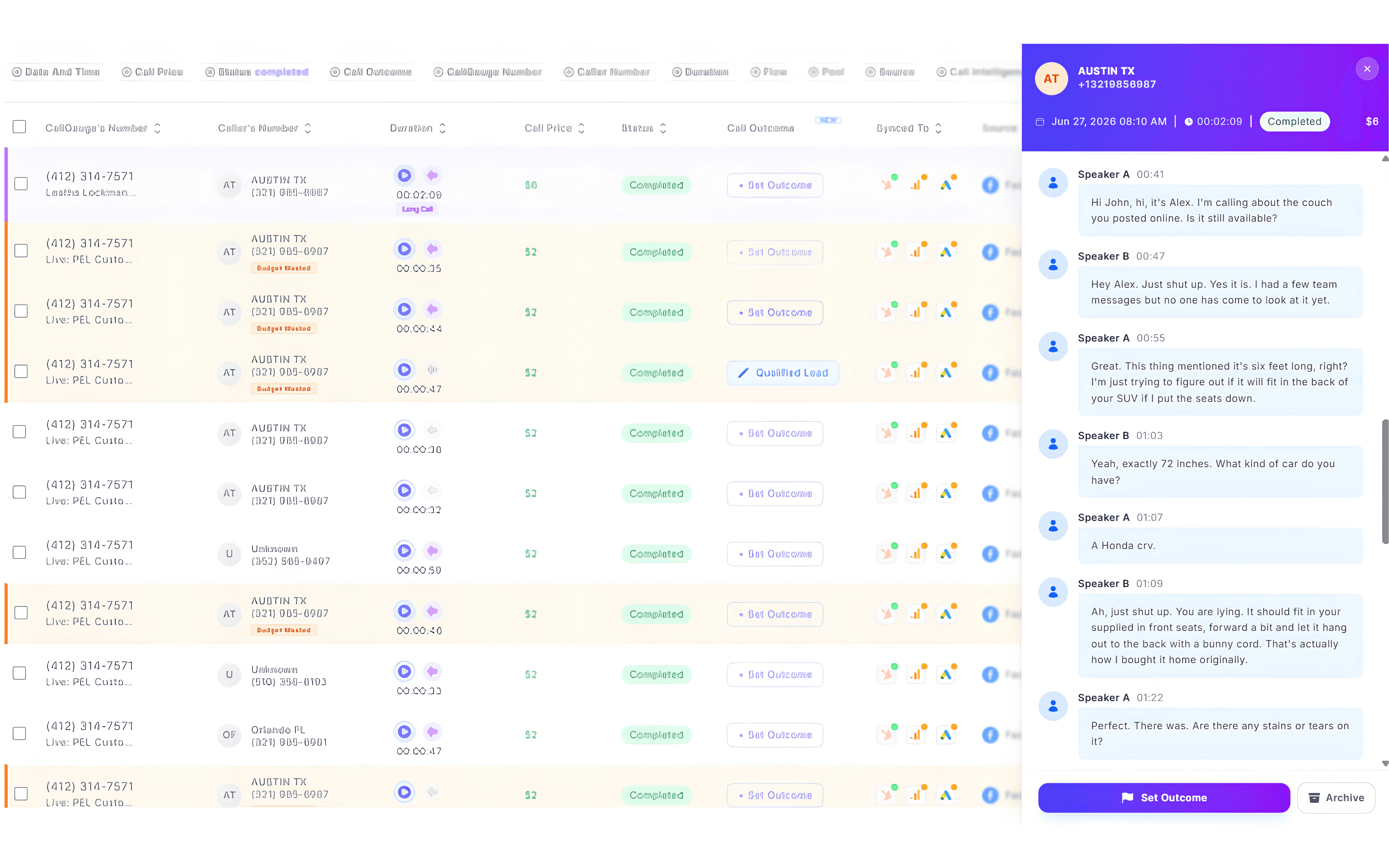
CallGauge AI converts the recorded conversation into written text and separates the dialogue by speaker. You can review the full transcript or follow the speaker-labelled conversation with timestamps.
Speaker Labels
Speaker labels help separate the caller from the person answering the call. Depending on the conversation and audio quality, review the recording when you need to confirm who said a specific statement.
Expected Result
You can read the complete transcript and follow the conversation by speaker and timestamp.
Review AI Call Intelligence
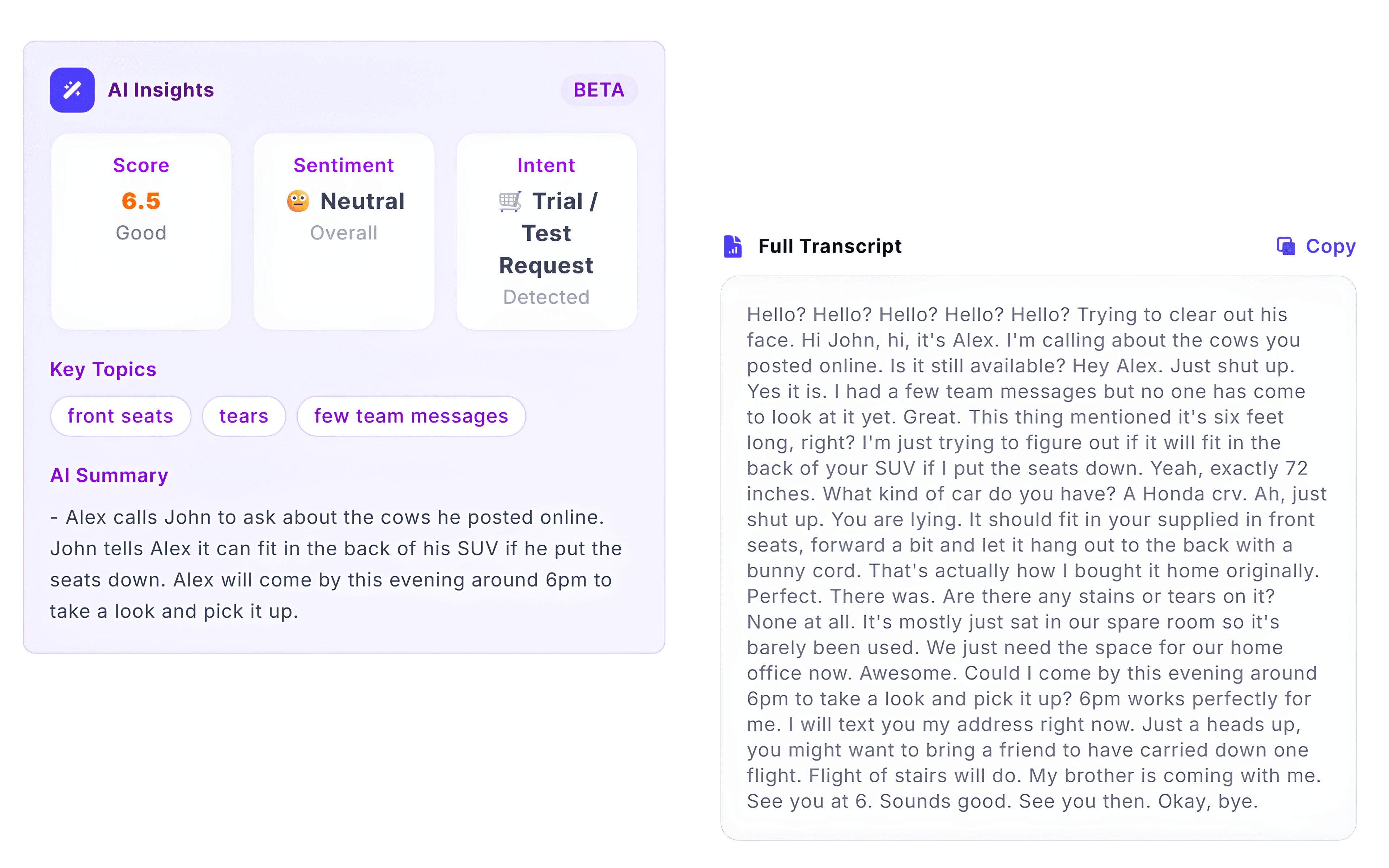
AI Call Intelligence helps you quickly understand the outcome of a conversation by reviewing the call score, detected intent and sentiment without listening to the entire recording.
Call Score
Review the AI-generated score to understand the overall quality of the conversation.
Intent
Identify the primary reason the caller contacted your business.
Sentiment
Review the detected tone of the conversation to better understand the caller's experience.
Conversation Context
Use the AI summary and transcript to understand how the call intelligence was generated.
Review AI Insights Together
Call Score, Intent and Sentiment provide the most value when reviewed together with the AI Summary, transcript and call recording. Always use these insights to support your team's decision-making rather than replacing manual review.
Expected Result
You can quickly review the AI Call Intelligence to understand the quality, intent and overall tone of a conversation.
Review the Speaker Conversation
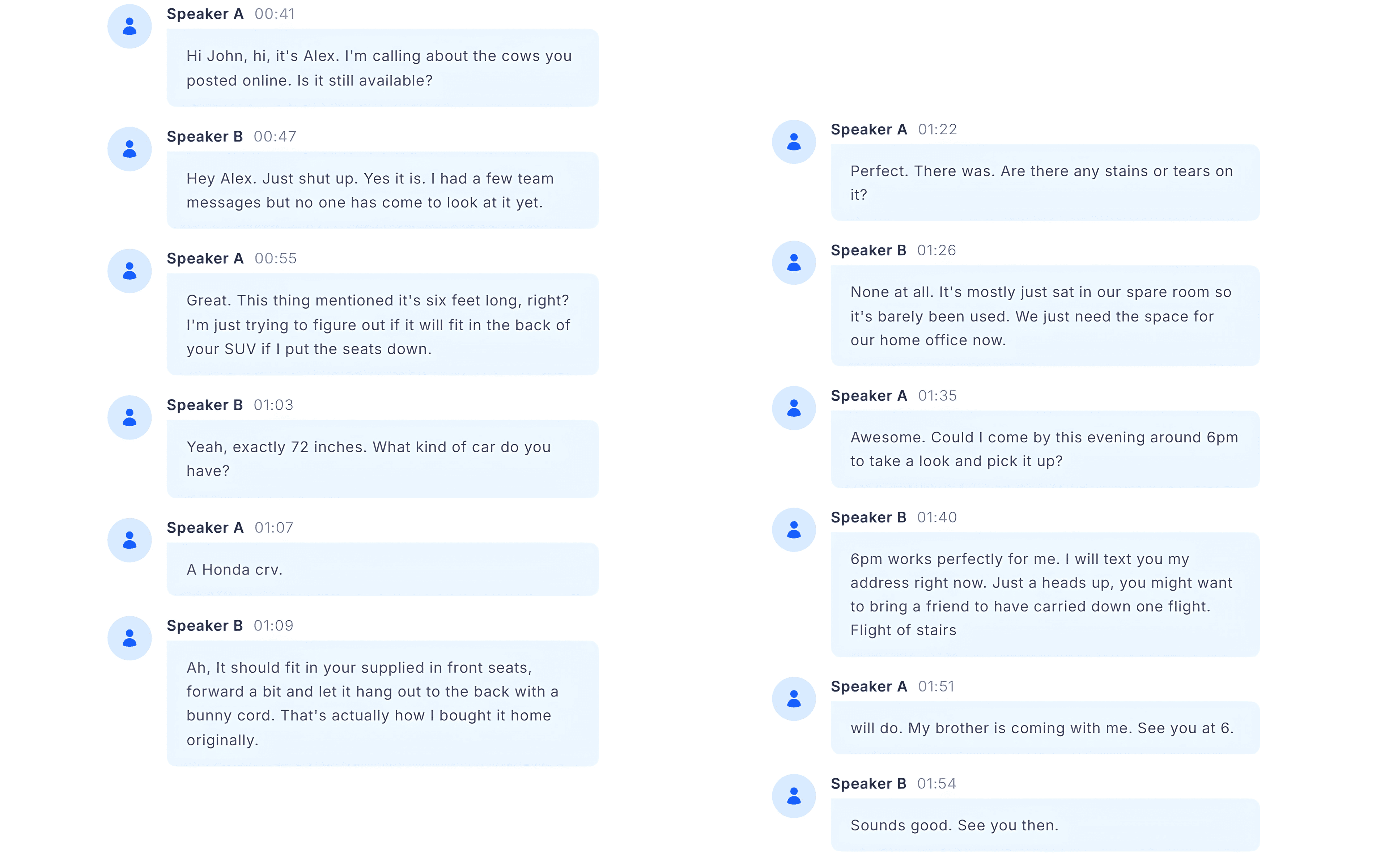
The conversation view separates the call into speaker-labelled segments so you can follow the discussion in sequence and see when each participant spoke.
Use Both Transcript Views
Use the full transcript for a continuous written record and the speaker-labelled conversation to follow individual responses and timestamps more easily.
Expected Result
You can follow who spoke, review the order of responses and locate important moments in the conversation.
Review Everything in the Call Log
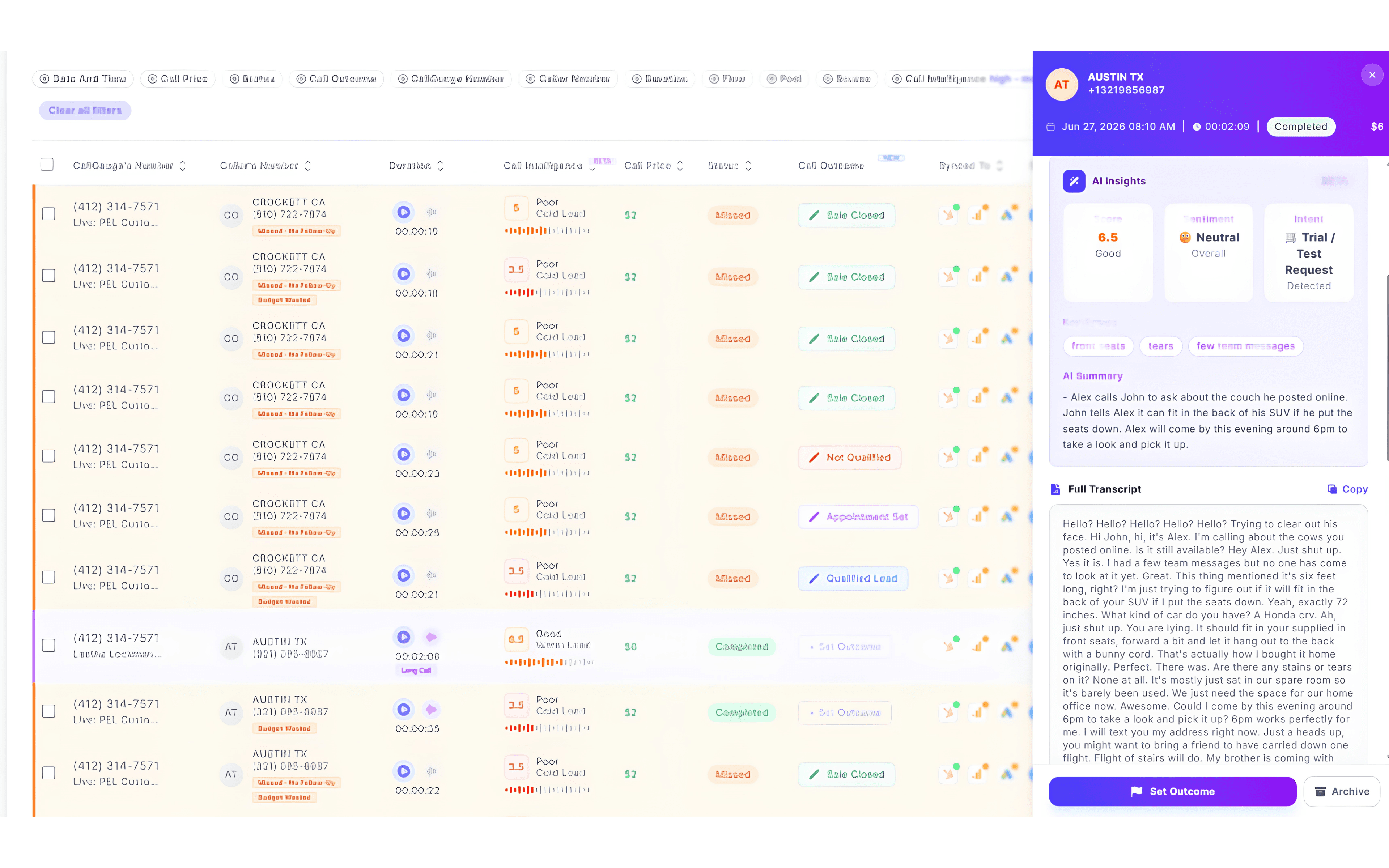
Open any completed call from the Call Log to review all available AI insights in one place. The Call Details panel brings together the AI Summary, transcript, AI Call Intelligence and speaker-labelled conversation.
Your Central AI Review Area
The Call Details panel is the main place to review the AI Summary, transcript, Call Score, Intent, Sentiment and speaker-labelled conversation for a processed call.
Expected Result
You can review all available AI insights for a processed call from one Call Details panel.
Next Steps
You Are Ready to Review AI Call Insights
You now understand how to review AI summaries, transcripts, AI Call Intelligence and speaker-labelled conversations in CallGauge AI.
Recommended Next Guides
Need help with AI features?
Contact our support team at support@callgauge.ai.
Contact Our Support Team
Get help with your CallGauge AI account, product setup, integrations or technical questions.