
Account & Workspace in CallGauge AI
Learn how to update your account profile, manage billing and organize workspaces for your clients, teams and business locations.
Manage Your CallGauge AI Account
CallGauge AI provides separate areas for managing account information, billing and workspaces. Use these settings to keep your profile and business details current, maintain your account balance and organize tracking activity across different clients, brands or locations.
Account Settings
Update your profile, business information, address, security settings and notification preferences.
Billing
Review your wallet balance, add funds, manage auto-recharge and view transaction history.
Workspaces
Create and switch between workspaces for different clients, brands, departments or business locations.
Team Access
Review workspace activity and manage which team members can access each workspace.
Keep Your Account Up to Date
Regularly review your account details, billing balance and workspace organization to maintain secure access, avoid service interruptions and keep client or team activity clearly separated.
Update Account Settings
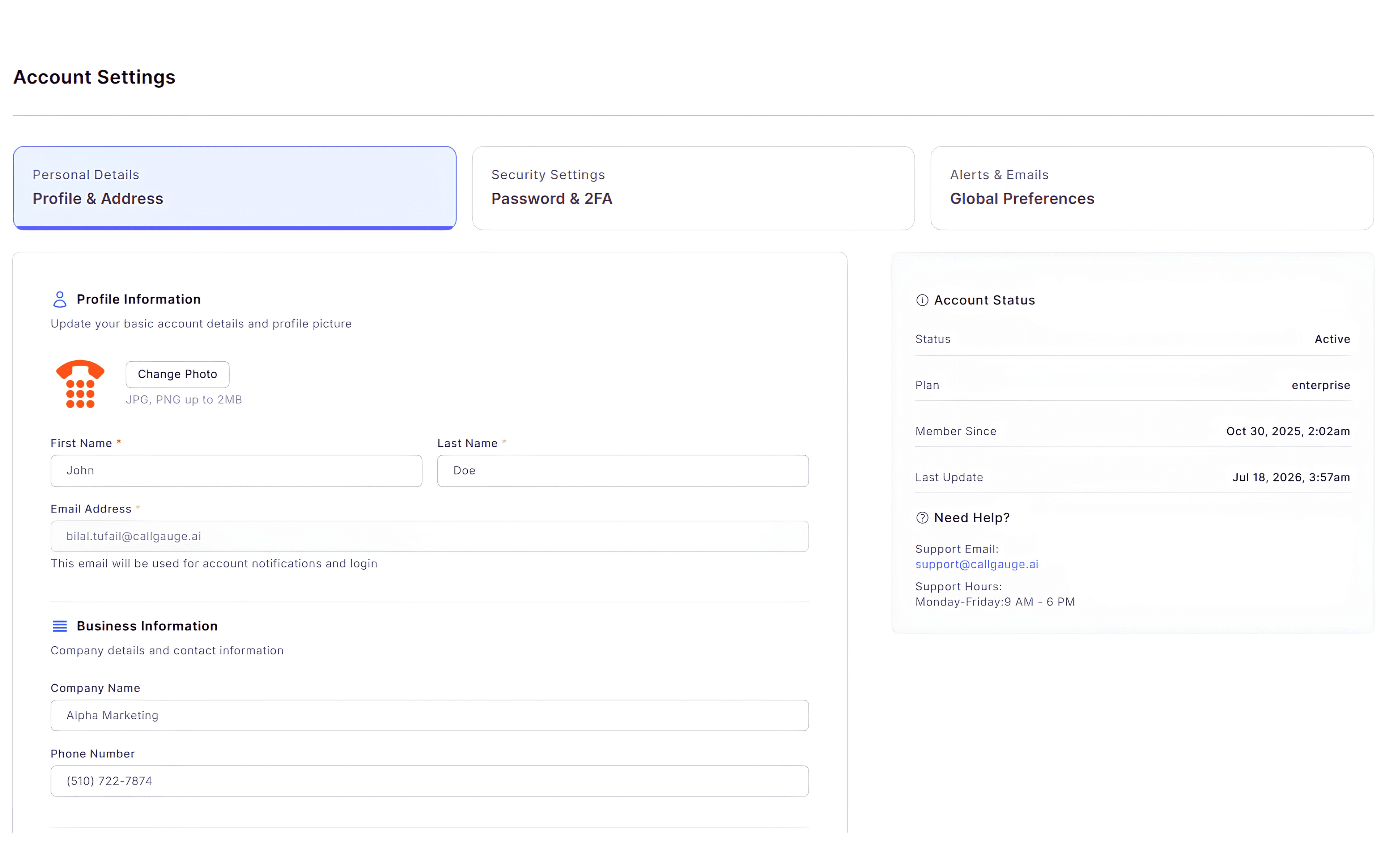
Use the Account Settings page to manage your personal profile, business information, address and account preferences. You can also update your profile photo, change your password, configure two-factor authentication and manage notification settings.
Profile Information
Update your name, email address and profile picture.
Business Information
Keep your company details and contact information up to date.
Security
Manage your password and two-factor authentication settings.
Preferences
Configure account notifications and communication preferences.
Keep Your Account Secure
Regularly review your profile information and security settings to protect your account and ensure you receive important account notifications.
Expected Result
Your account information and security settings have been updated successfully.
Manage Billing
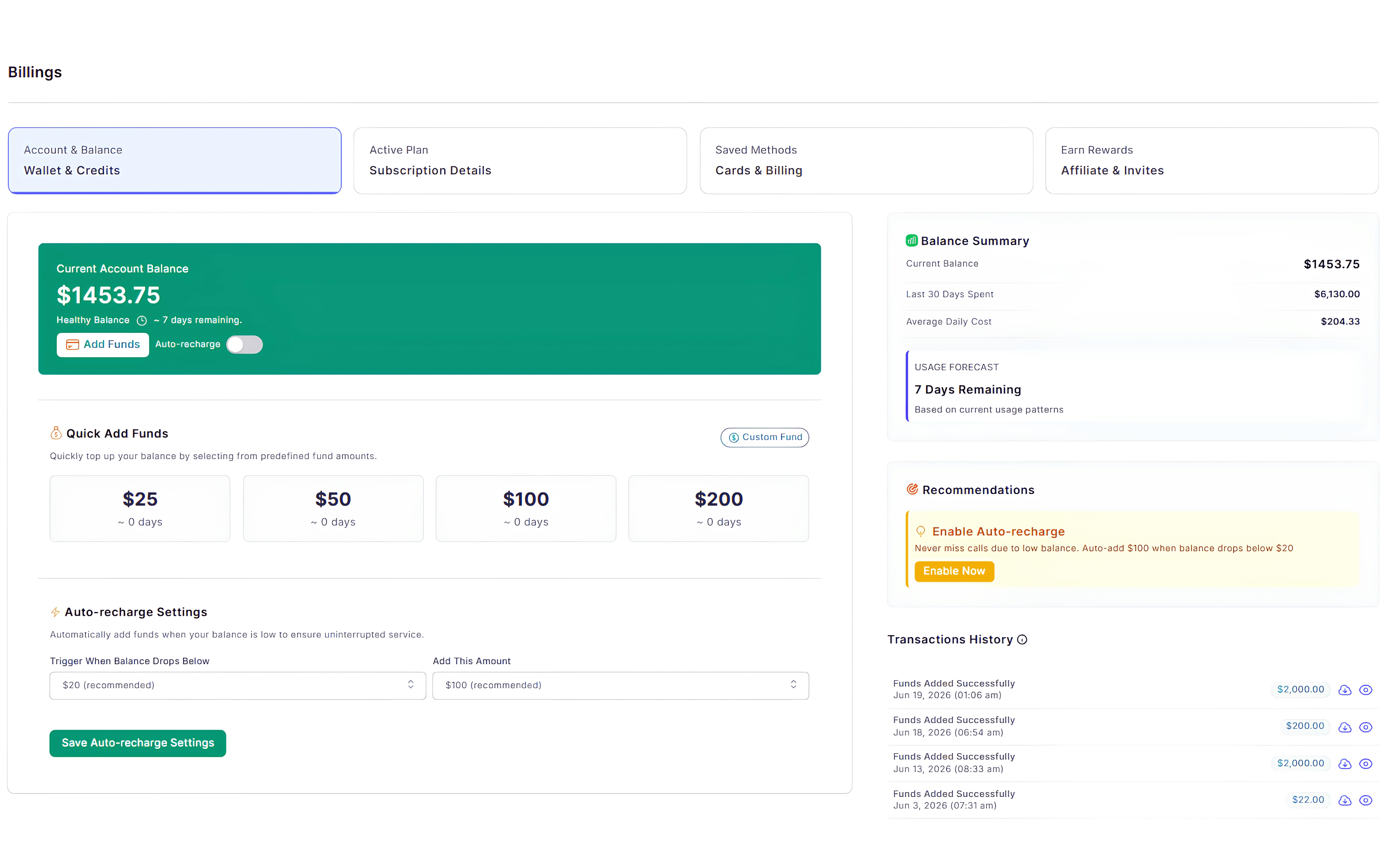
The Billing page lets you manage your wallet balance, subscription, payment methods and billing activity. You can add funds, configure auto-recharge and review your recent transactions from one place.
Prevent Service Interruptions
Enable Auto-Recharge to automatically top up your wallet when your balance reaches a selected threshold, helping ensure uninterrupted access to CallGauge AI services.
Expected Result
Your billing settings are configured and your account is ready for uninterrupted usage.
Manage Workspaces
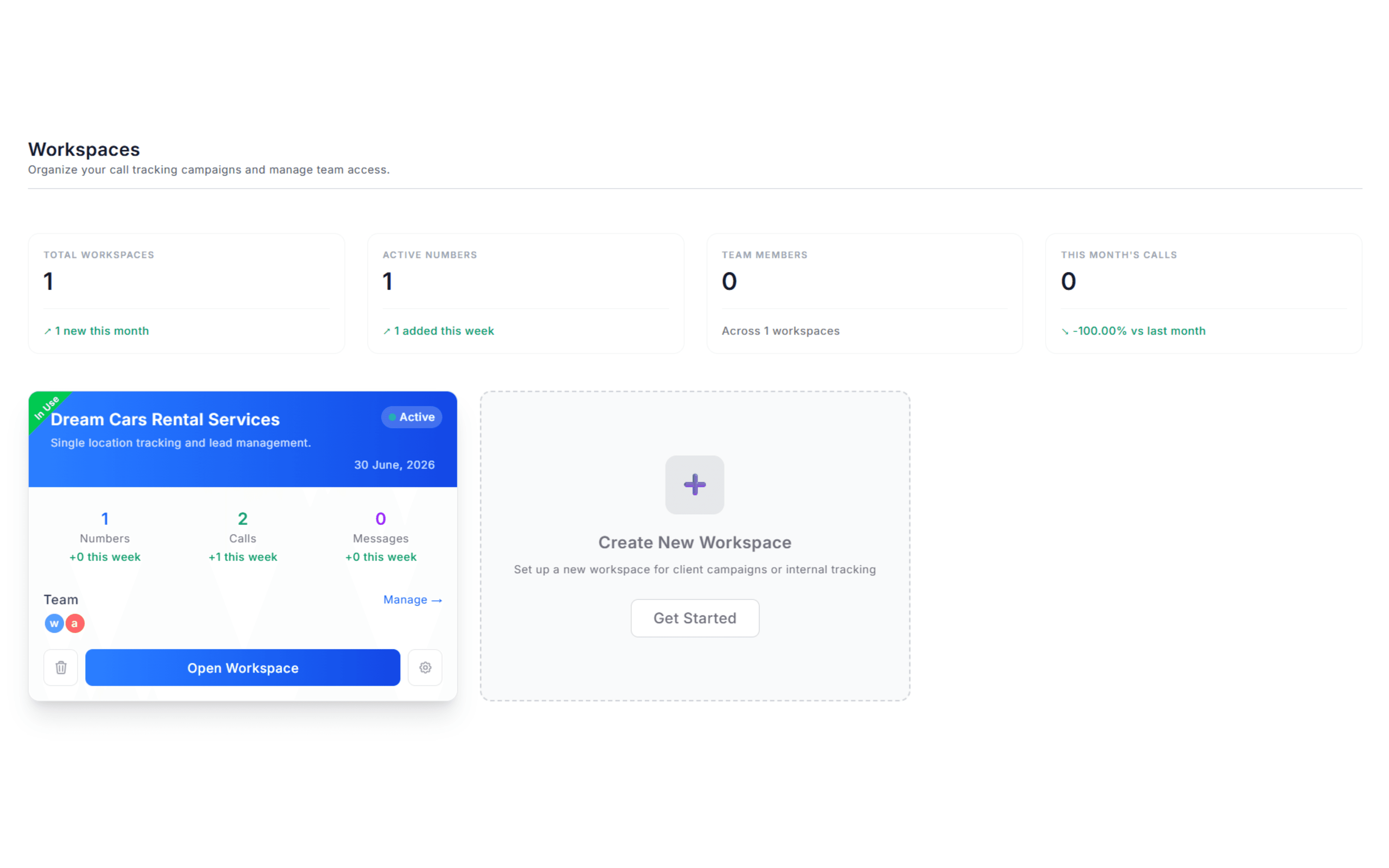
Workspaces help you organize campaigns, tracking numbers and team members for different clients, brands or business locations. Each workspace operates independently, making it easy to manage multiple businesses from a single CallGauge AI account.
Create Workspaces
Create dedicated workspaces for clients, brands or departments.
Switch Workspaces
Move between workspaces without leaving your account.
Manage Team Members
Assign team members and control access for each workspace.
Monitor Workspace Activity
Review workspace statistics including tracking numbers, calls and team activity.
Stay Organized
Separate your clients or business locations into individual workspaces to keep tracking numbers, reporting and team access organized.
Expected Result
Your workspaces are organized and ready for collaboration.
Next Steps
Your Account Is Ready
You now know how to manage your account settings, billing information and workspaces in CallGauge AI.
Recommended Next Guides
Need help managing your account?
Contact our support team at support@callgauge.ai if you need assistance updating your account, managing billing or organizing your workspaces.
Contact Our Support Team
Get help with your CallGauge AI account, product setup, integrations or technical questions.