
Track Phone Call Events in Google Analytics 4
Connect CallGauge AI with Google Analytics 4 and use Google Analytics call tracking to send inbound call events directly to your GA4 property. Capture call lifecycle events, attribution parameters and call insights so phone interactions can be analyzed alongside website traffic and campaigns.
No credit card required · Setup in minutes
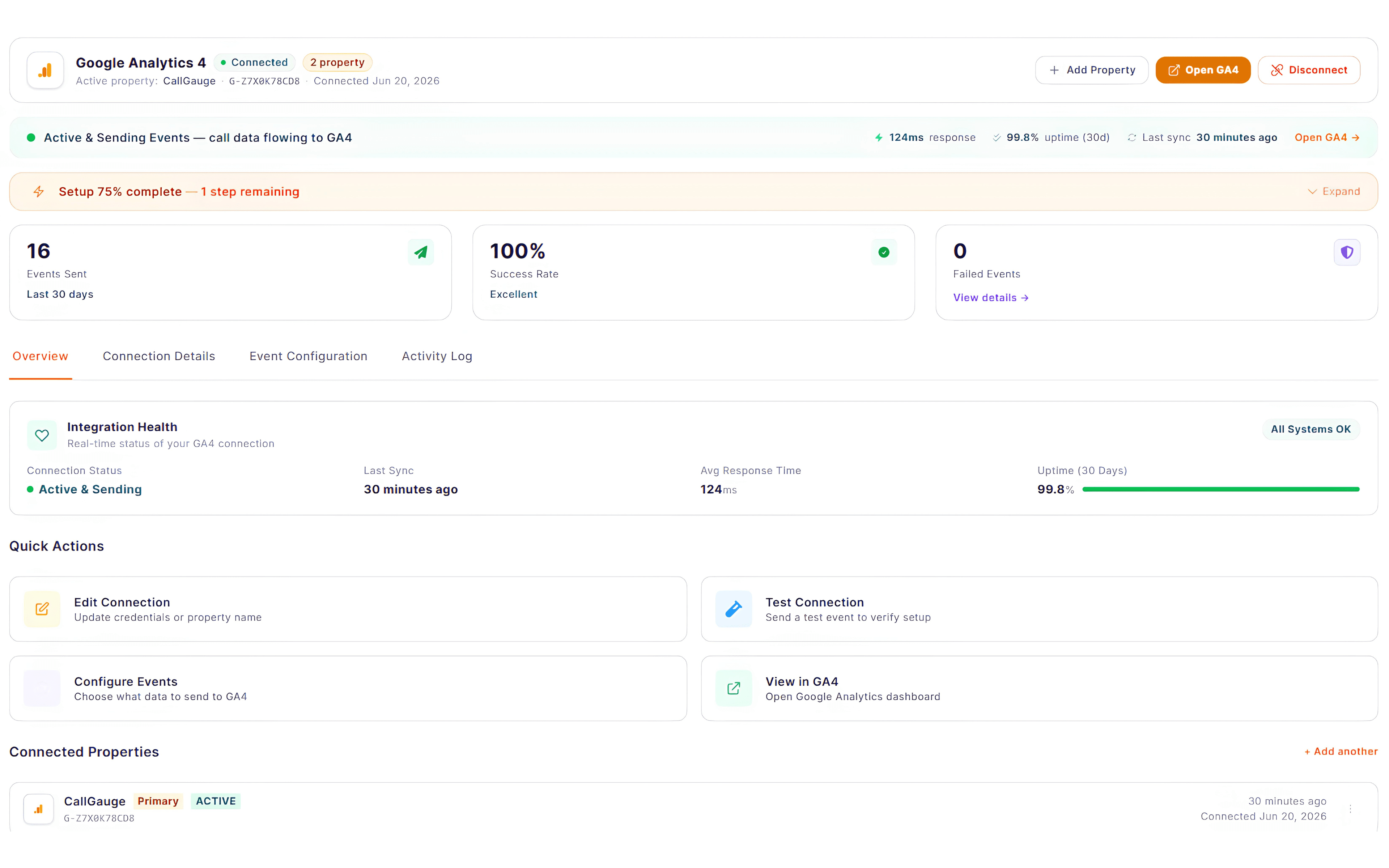
Configurable Event Mapping
Choose which call events are sent to GA4.
Attribution Context
Include campaign and landing page data with each event.
Call Intelligence Signals
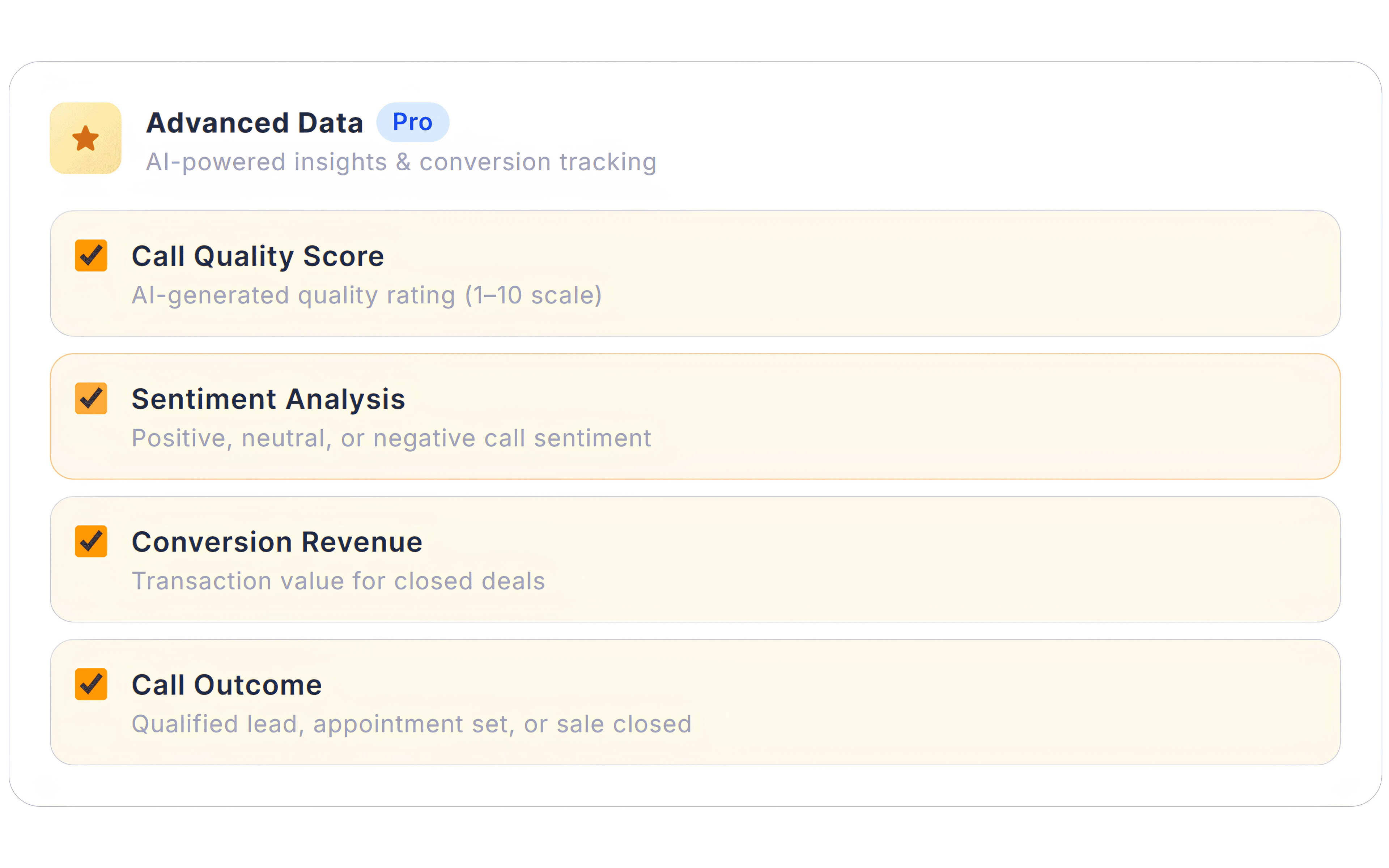
Send sentiment, quality scores and call outcomes as event parameters.
Event Delivery Monitoring
Monitor event delivery status and integration activity logs.
Google Analytics Integration
Connect Call Data Directly to Your GA4 Reports
Send your inbound call events from CallGauge AI to Google Analytics 4 so your phone interactions appear alongside website sessions, campaigns and marketing traffic. This Google Analytics integration allows teams to track phone calls in Google Analytics and evaluate call performance alongside sessions and campaigns.
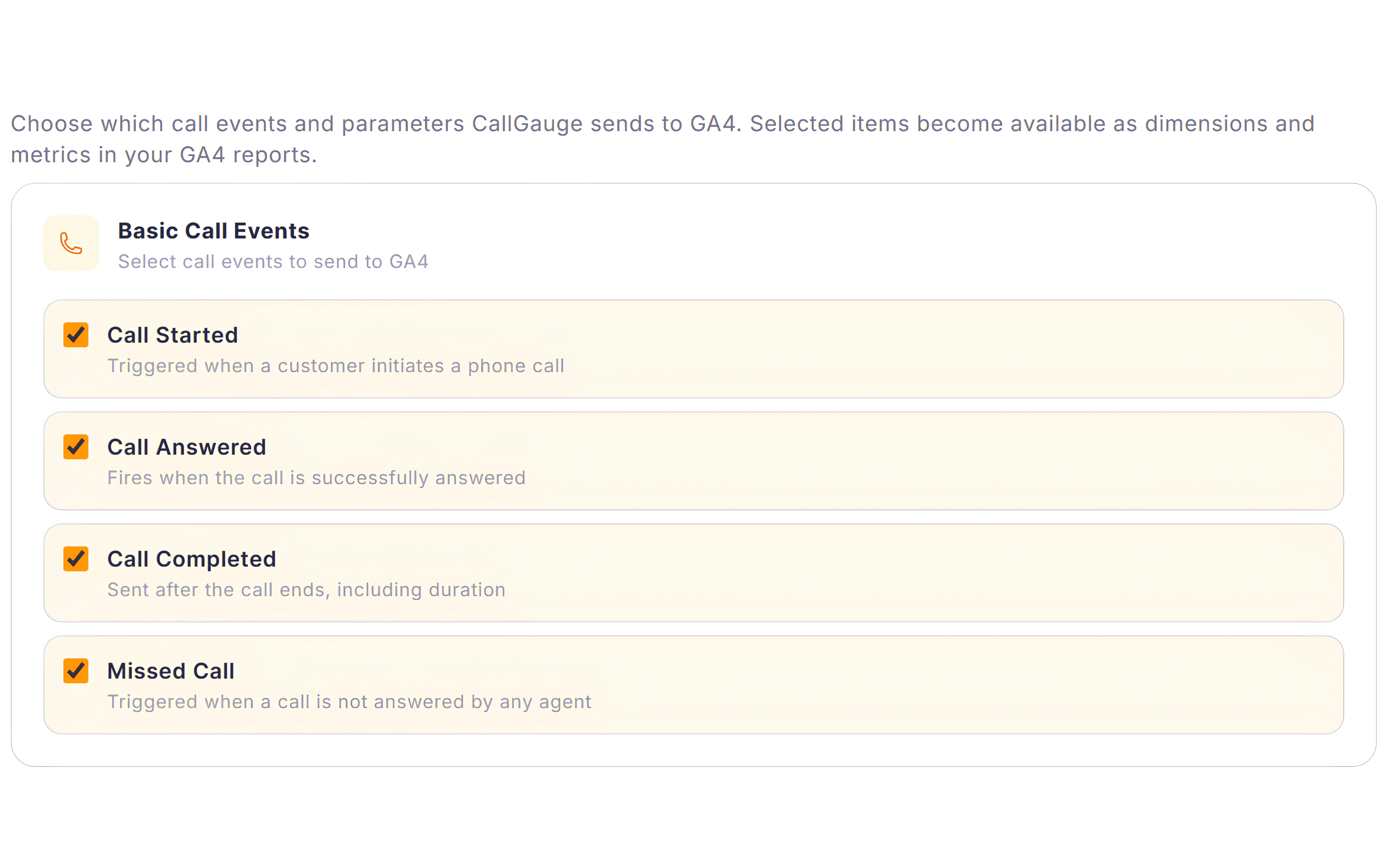
- Send call lifecycle events such as call started, answered, missed and completed
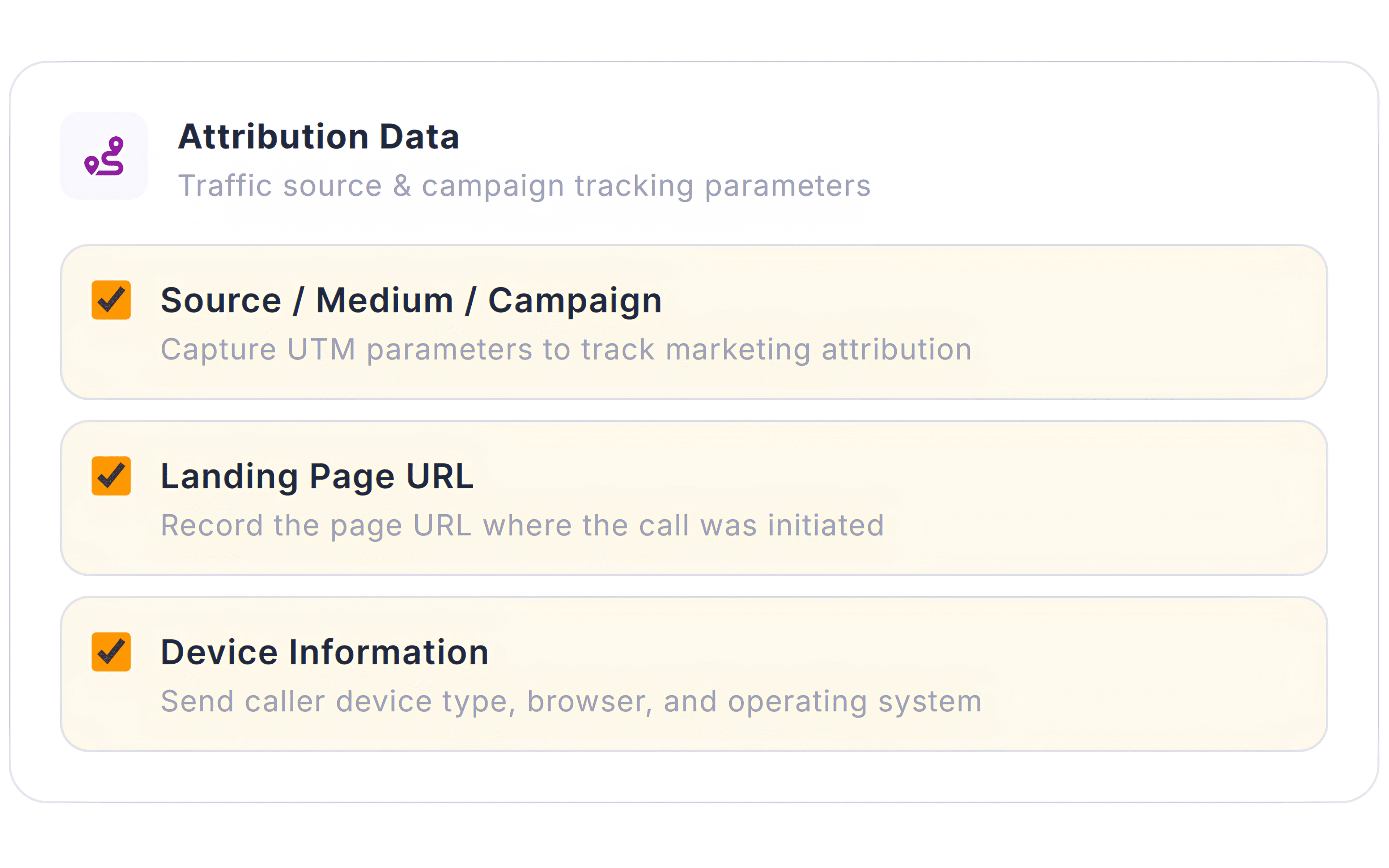
- Include source, medium, campaign and landing page parameters
- Enrich events with call duration, tracking number and caller location
- Attach call outcome signals including sentiment and quality score
- Analyze calls alongside sessions, campaigns and traffic sources
- Evaluate your phone driven performance within GA4 reporting
Audience Location Data
Understand Where Calls Originate
Analyze your inbound calls alongside geographic data in Google Analytics 4 to understand where demand originates and how different regions contribute throughout the customer journey and overall call activity.
Location Dimensions in GA4
Analyze your inbound call activity by country, region or city.
Regional Traffic Sources
Understand which geographic areas generate your inbound calls.
Location Demand Patterns
Identify regions with higher call activity to support your campaign planning.
Google Analytics Insights
Understand Call Performance Inside GA4
View your call activity alongside website analytics in Google Analytics 4. CallGauge AI provides GA4 call tracking with structured call events and attribution data so inbound calls can be analyzed within existing reports and attribution models.
Google Analytics Integration Capabilities
Send Structured Call Data to Google Analytics
CallGauge AI sends structured call events and parameters to Google Analytics 4 so your phone interactions become part of your marketing analytics and reporting workflows. This enables phone call tracking in Google Analytics with attribution signals and conversion actions.
Call Event Tracking
Send your inbound call lifecycle events to Google Analytics.
Conversion Events
Track your qualified calls within GA4 reporting.
Campaign Parameters
Include your source, medium, campaign and landing page data.
Call Duration Data
Send your call length as event parameters.
Location Dimensions
Analyze your calls by country, region or city.
Session Context
Connect your inbound calls with website sessions and traffic activity.
Built for Teams Using Google Analytics
Different teams analyze performance differently. CallGauge AI sends structured call data to Google Analytics 4 so marketing, sales and operations teams can evaluate phone driven activity within their analytics workflows.
Marketing Teams
Understand which campaigns and traffic sources generate inbound calls.
Sales Managers
Monitor business call outcomes alongside marketing attribution signals.
Agency Owners
Evaluate phone driven performance across client campaigns.
Operations Teams
Analyze regional demand patterns and call activity trends.
Turn Calls Into Google Analytics Insights
Connect CallGauge AI with Google Analytics 4 and start tracking inbound call events alongside your campaigns, traffic sources and website activity.
No credit card required. Setup in minutes.
Google Analytics Integration FAQs
Can CallGauge AI send call events to Google Analytics 4?
Yes, CallGauge AI can send your inbound call events to your GA4 property so phone interactions appear alongside website activity and marketing traffic.
What type of call events can be tracked in GA4?
Events such as call started, answered, completed and missed calls can be sent to Google Analytics as structured GA4 events.
Can call data include marketing attribution parameters?
Yes, call events can include attribution parameters such as source, medium, campaign and landing page, enabling Google Analytics call attribution and helping connect inbound calls with marketing traffic.
Can I test Google Analytics events before going live?
Yes, CallGauge AI allows you to send test events to verify that your Google Analytics connection and event configuration are working correctly.
How do I connect CallGauge AI with Google Analytics?
You can connect your GA4 property using a Measurement ID and API secret from your Google Analytics account.