
Google Ads Call Tracking and Conversion Tracking
Use CallGauge AI's Google Ads integration to track inbound calls from your campaigns with DNI, apply automated qualification rules and send real conversion data to Google Ads in real time. Analyze call data alongside campaign performance and optimize with greater accuracy.
No credit card required • Real-time sync • Setup in minutes
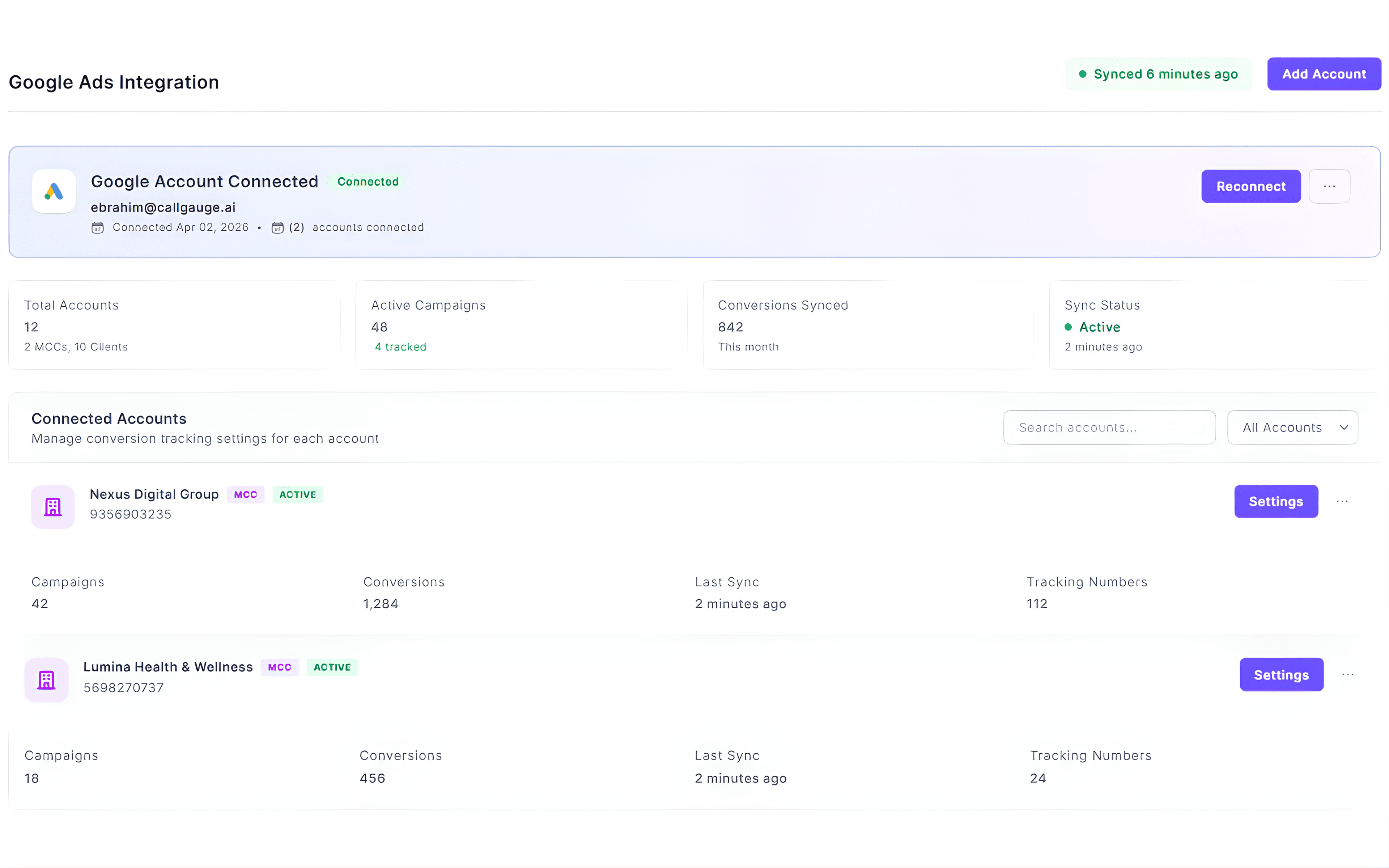
Real-time Sync
Send qualified calls instantly
Conversion Rules
Control what counts as a conversion
Campaign Attribution
Track calls with dynamic phone numbers and source mapping
Full Control
Configure windows and settings
Turn Google Ads Calls Into Measurable Conversions
CallGauge AI connects your Google Ads campaigns with real call outcomes. Track your inbound calls using dynamic number insertion (DNI), apply automated rules and send only high-intent conversions back to Google Ads. Keep your data clean and optimize campaigns based on what actually drives results.
Conversion Accuracy
Stop Optimizing for the Wrong Calls
Google Ads optimizes your campaigns based on the conversions you send. If your data is inaccurate, your campaigns will be optimized in the wrong direction. CallGauge AI filters low-intent calls and sends only meaningful outcomes back to Google Ads, so your campaigns are optimized using real performance data.
- Send only qualified calls that meet your conversion criteria
- Filter out low-value and irrelevant inbound calls
- Improve optimization with clean conversion signals
- Reduce wasted ad spend
- Maintain reliable reporting data
Conversion Visibility
See Exactly What You’re Sending to Google Ads
Monitor your call conversions, qualification activity and sync performance directly inside your dashboard. Understand which inbound calls are being sent, how quality leads are classified and how your data flows into Google Ads.
Conversion Trends
Track your qualified phone calls sent over time
Qualification Insights
Understand how your business phone calls are classified
Sync Activity
Monitor your sync status and errors
Conversion Overview
View your overall conversion flow and performance effortlessly
Conversion Logic
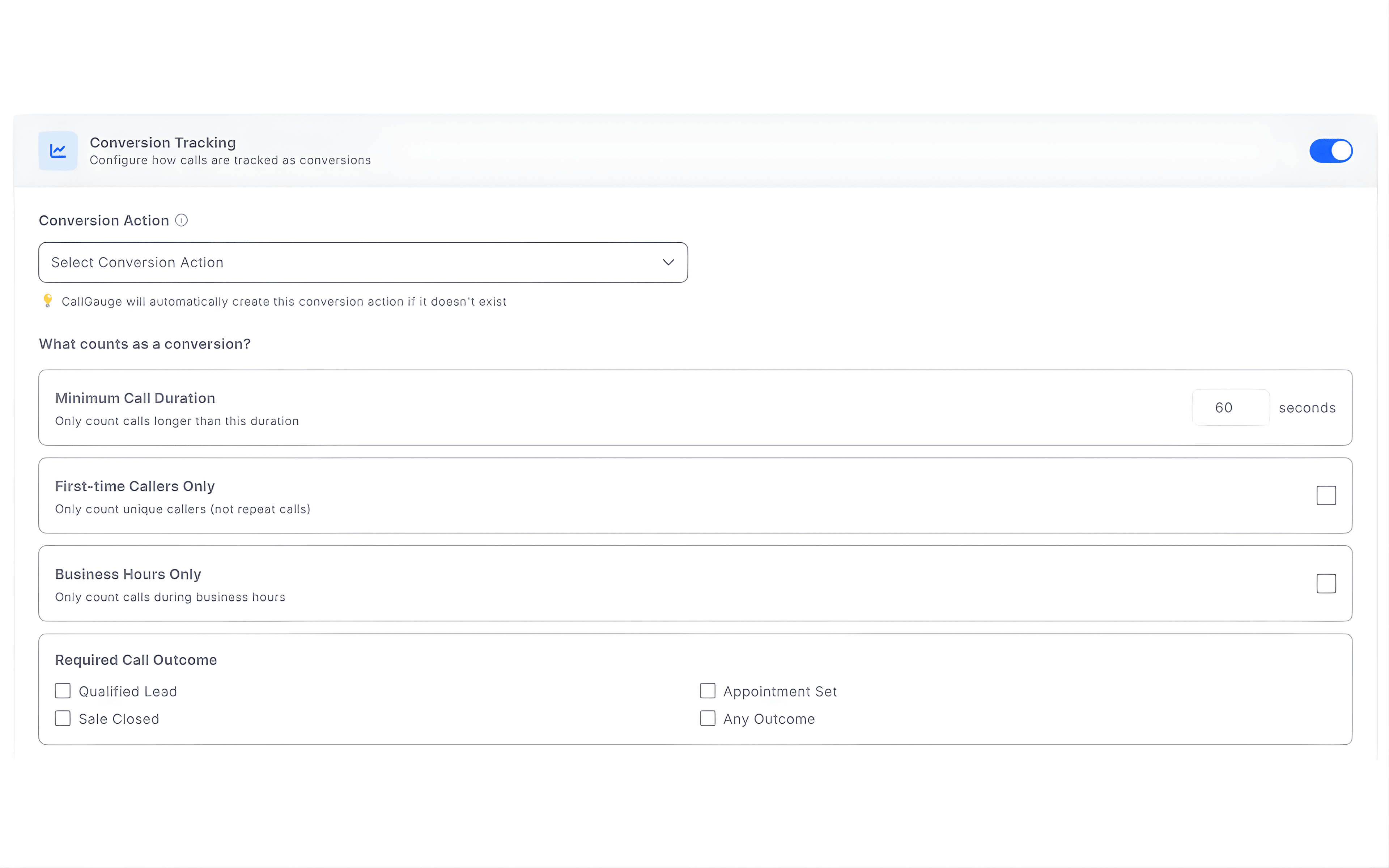
Define Exactly What Counts as a Conversion
Not every call should be treated as a conversion. CallGauge AI gives you full control to define which of your business calls are valuable and should be sent to Google Ads. You can apply automated rules on the basis of call behavior, outcomes and conditions to ensure only high-quality interactions influence your campaign performance.
Google Ads Conversion Capabilities
Advanced Conversion Tracking and Sync
Real-time conversion sync
Send qualified call conversions to Google Ads instantly as they happen.
Conversion qualification rules
Define what counts as a conversion using outcomes, duration and custom conditions.
Campaign selection
Choose which Google Ads campaigns to track and sync based on your goals.
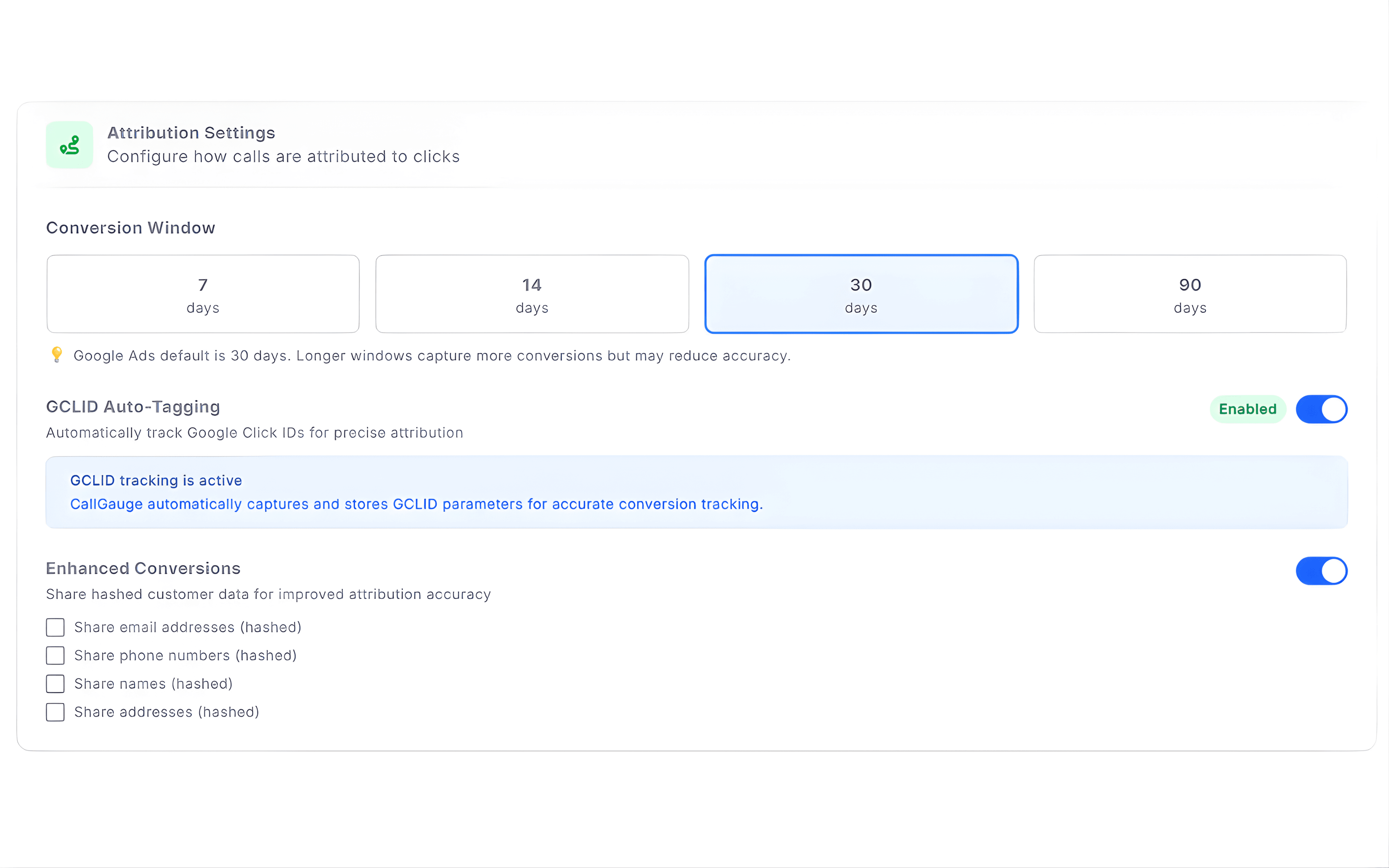
Attribution settings
Configure conversion windows, GCLID tracking and enhanced conversion settings.
Campaign performance import
Pull Google Ads campaign data into CallGauge for better visibility.
Sync monitoring
Track conversion sync status, volume and errors directly from your dashboard.
Multi-account support
Manage multiple Google Ads accounts including MCC and client accounts.
Manual and automatic sync
Control when and how conversions are sent to Google Ads.
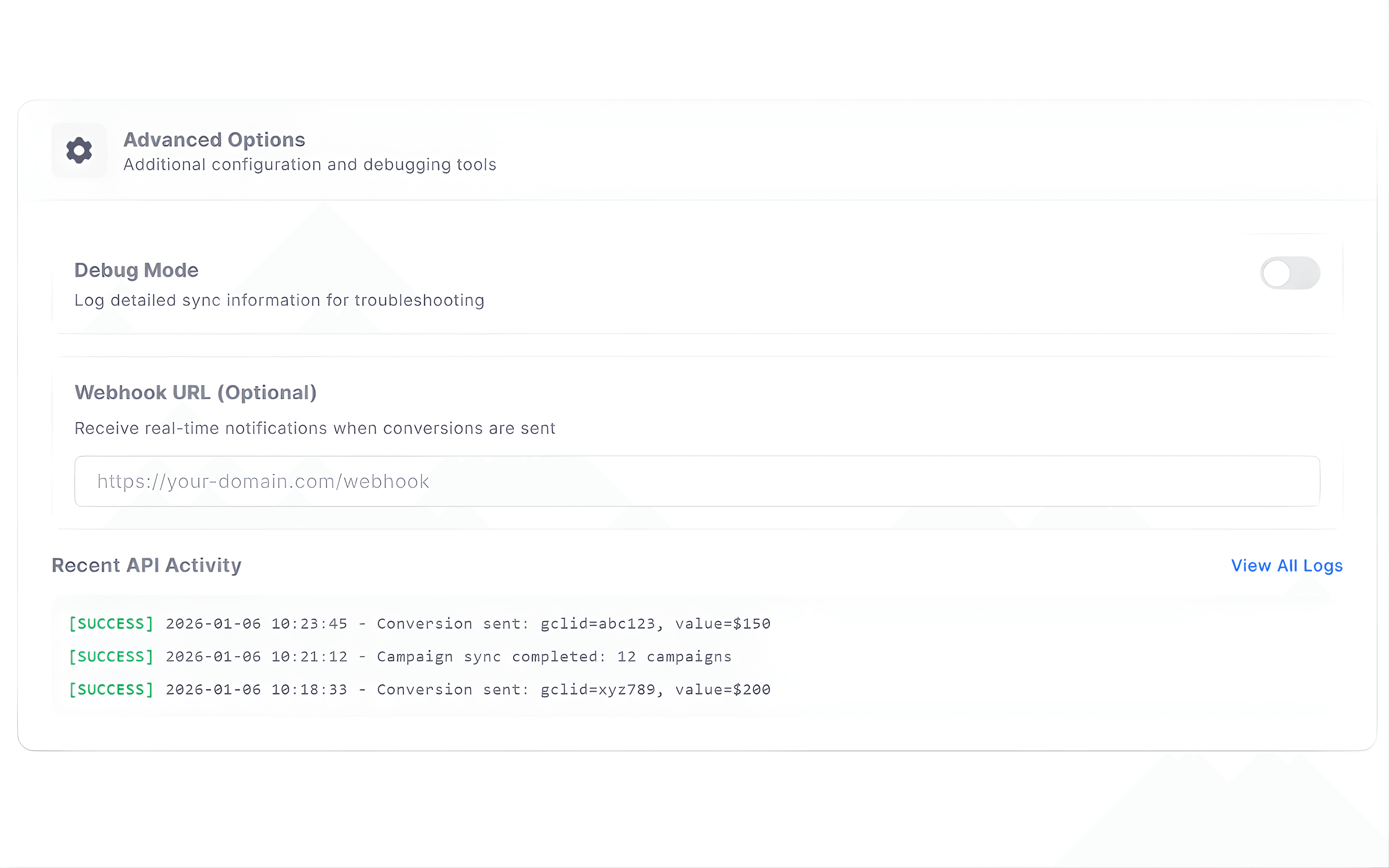
Advanced configuration
Use debug tools, webhooks and logs for deeper control and troubleshooting.
Built for Teams Managing Google Ads Performance
Different teams rely on accurate call conversion data to make their decisions. CallGauge AI gives each role the visibility they need to track their performance, optimize their campaigns and manage their call-driven outcomes confidently.
Marketing Teams
Track Google Ads call conversions, campaign performance and attribution to optimize spend and improve ROI seamlessly.
Sales Teams
Focus on qualified inbound calls while maintaining visibility into lead quality, call outcomes and conversion flow.
Agency Teams
Manage multiple Google Ads accounts, control their conversion rules and deliver accurate performance reporting for their clients.
Operations Teams
Monitor call volume, qualification activity and conversion trends to support their planning and performance decisions.
Send High-Quality Call Conversions to Google Ads
Track, qualify and sync your revenue-driving calls only. Reduce wasted spend and optimize campaigns with accurate attribution.
No credit card required. Setup in minutes.
Google Ads Call Tracking FAQs
How does CallGauge AI track Google Ads call conversions?
CallGauge AI uses DNI to track calls from your Google Ads. Each call is attributed at the campaign level so you can see which campaigns are driving phone leads.
Can I control which calls are counted as conversions?
Yes, you can set up conversion rules based on call duration, outcomes and conditions to ensure only quality leads are sent to Google Ads.
How are call conversions sent to Google Ads?
Call conversions are synced in real-time to your connected Google Ads account, helping your campaigns get optimized with accurate data.
Does CallGauge AI support dynamic number insertion (DNI)?
Yes, dynamic number insertion (DNI) is used to track incoming business calls from your ads and connect them to the correct campaign source effortlessly.
What type of conversions can I send to Google Ads?
You can send qualified calls based on your defined rules and outcomes, giving you complete control over what counts as a conversion.