
Manage Teams and Campaigns with Workspaces
CallGauge AI provides dedicated workspaces for agencies and marketing teams. As an agency workspace software, it helps businesses manage their multiple clients, departments and campaigns easily while keeping call tracking numbers, call activity, analytics and team members separated and organized.
No credit card required · Role based permissions · Setup in 5 minutes
1K+ Workspaces
Actively managed
Unlimited Teams
Collaborating daily
Instant Switch
Zero-lag transition
100% Isolated
Secure data separation
Organize Clients and Campaigns with Workspaces
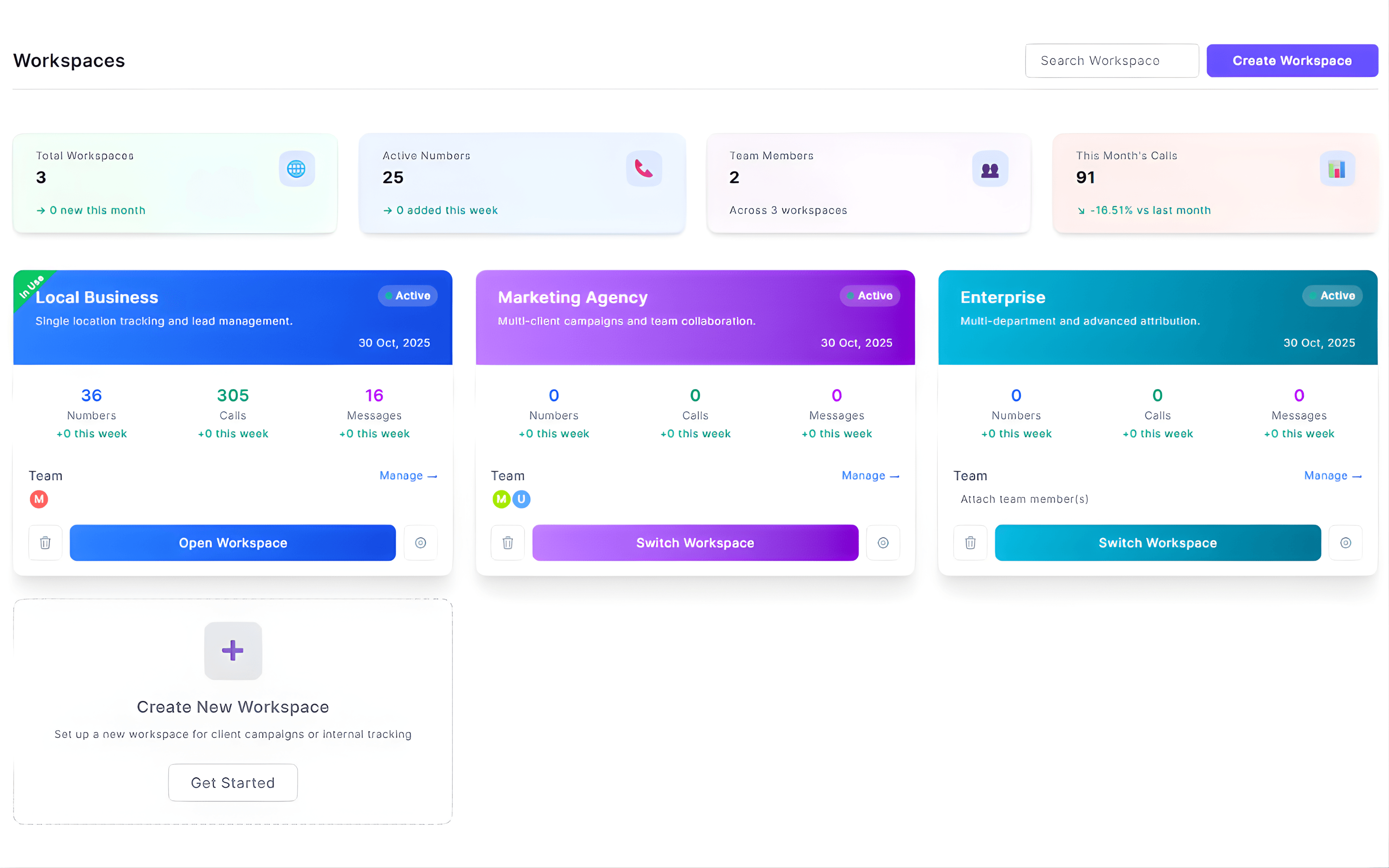
CallGauge AI provides client workspace management capabilities that help agencies and teams organize multiple clients, departments and campaigns from a single account. Each workspace keeps all of its tracking numbers, calls, messages and analytics separated so teams can monitor their respective campaigns efficiently.
Workspace Management
Create and Structure Workspaces
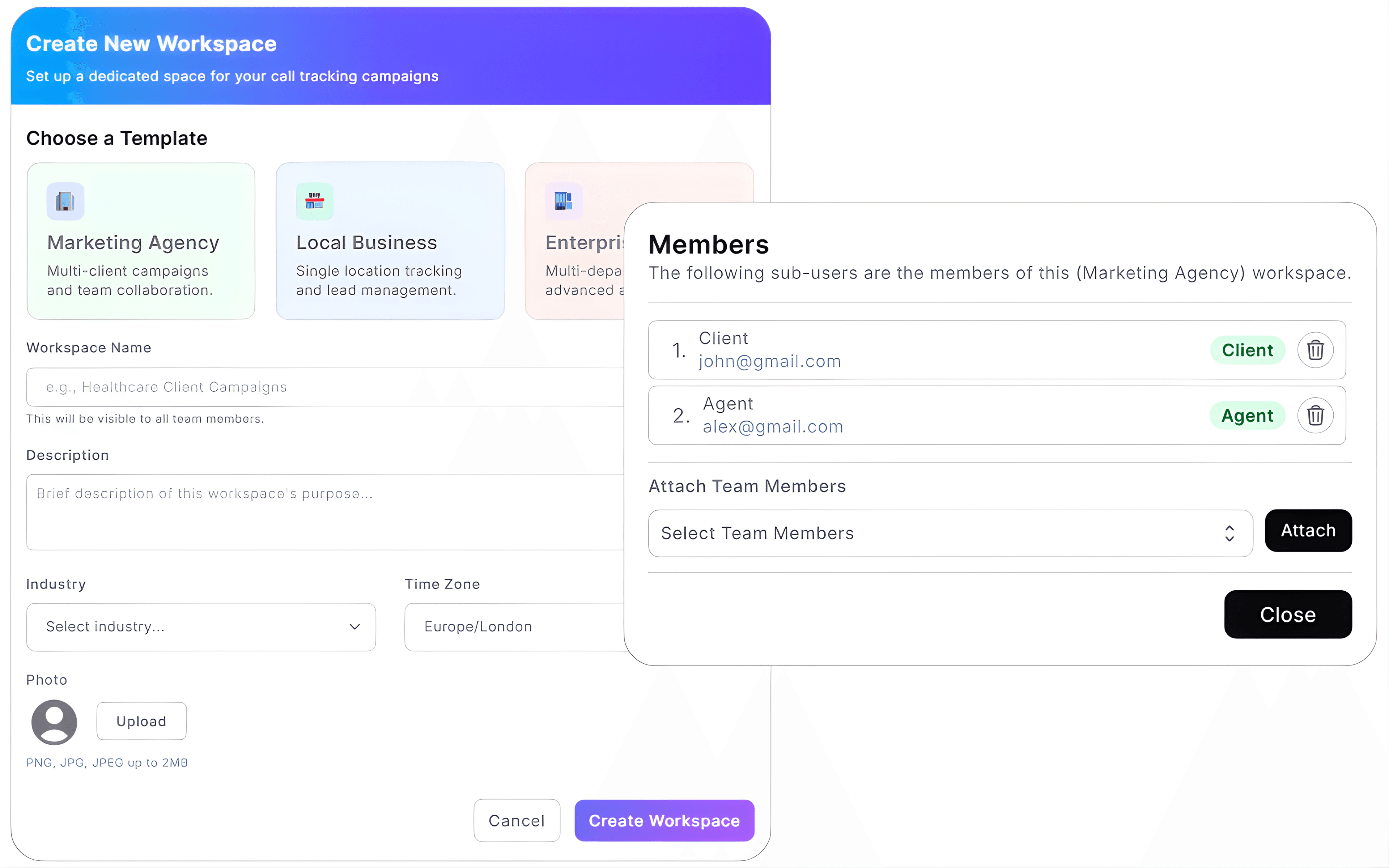
CallGauge AI allows administrators to create and manage multiple workspaces from a single account. Administrators can organize their campaigns, assign separate team members and structure call tracking environments while keeping all the activity and analytics organized.
This workspace management software gives administrators complete control over campaign organization, users and reporting environments.
- Create separate workspaces for clients, departments or campaigns
- Invite team members and assign them to specific workspaces
- Keep tracking numbers, calls, messages and analytics organized
- Switch between workspaces instantly without changing accounts
Workspace Switching
Switch Between Workspaces Instantly
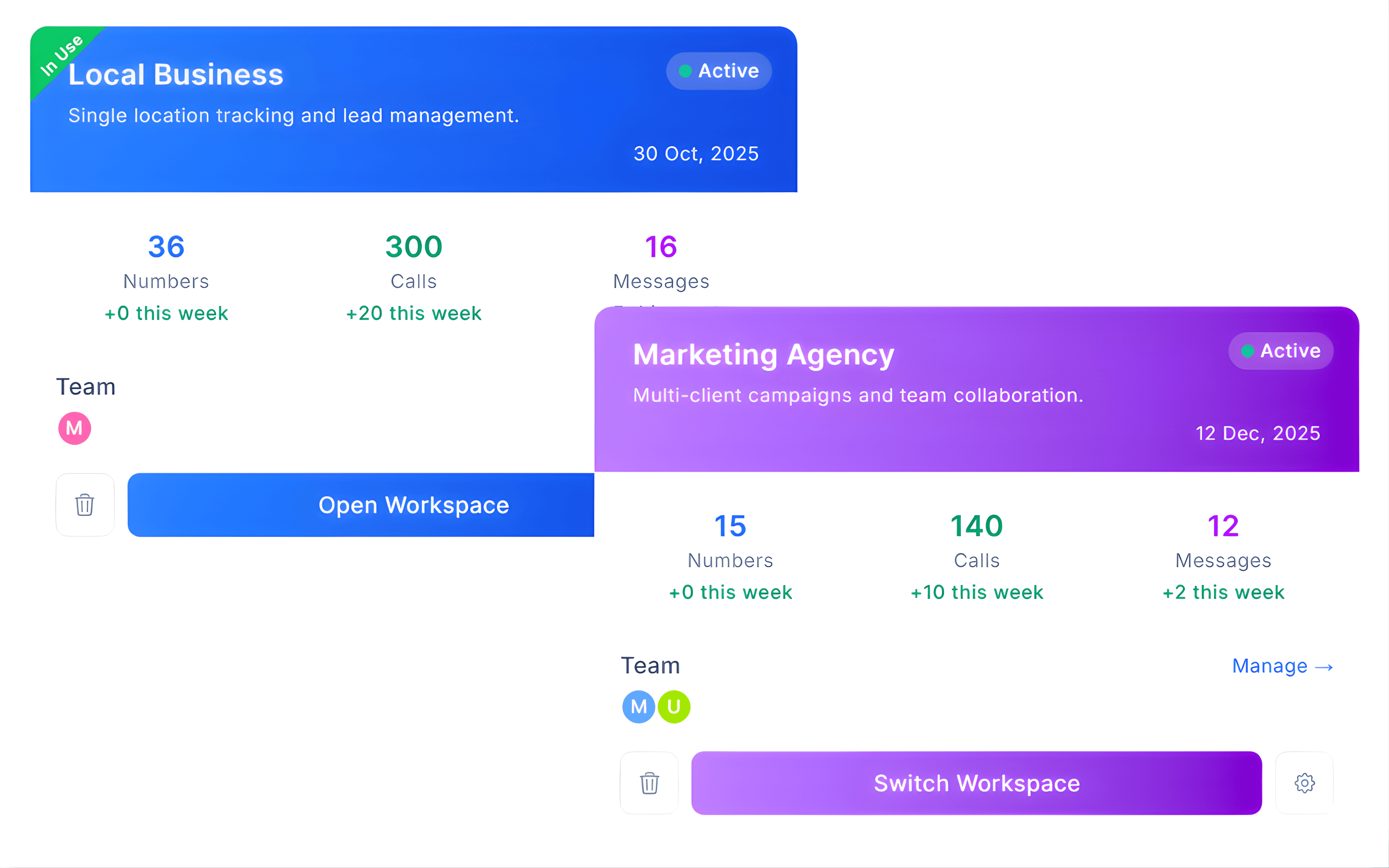
Move swiftly between different client or team environments without logging out. CallGauge AI lets you to switch workspaces quickly while keeping campaigns, numbers and analytics organized.
Instant Workspace Switching
Move between workspaces without changing accounts.
Multi-Client Campaign Management
Manage campaigns easily for different clients or departments.
Organized Campaign Data
Keep all the numbers, calls and analytics separated.
Faster Team Operations
Work across multiple environments efficiently.
Workspace Overview
Monitor Workspace Activity at a Glance
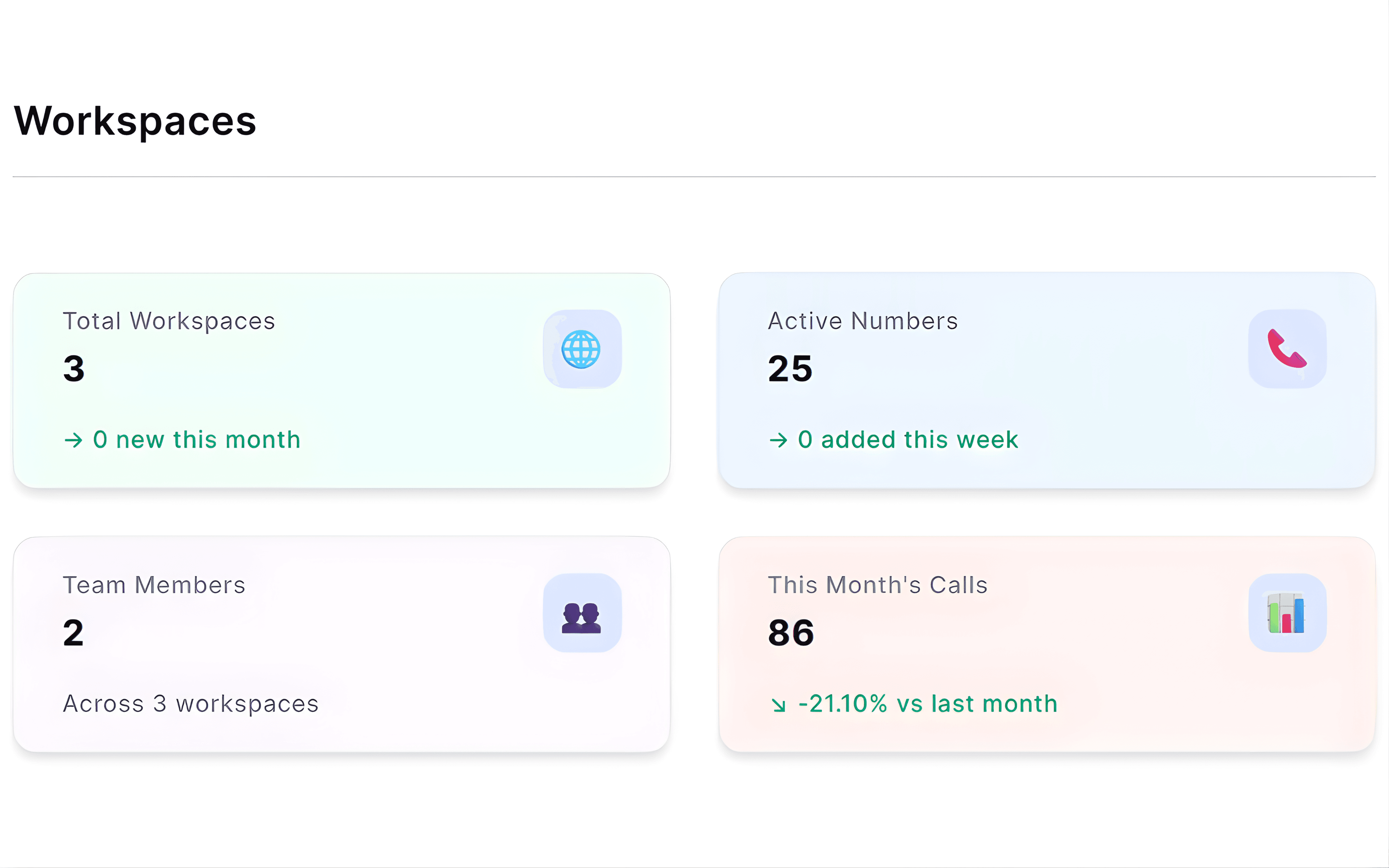
Track your phone numbers, inbound calls, messages and team members across all of your workspaces so you can quickly understand campaign and client activity.
Workspace Activity Overview
View numbers, calls, messages and team members at a glance.
Campaign Performance Visibility
Monitor all the activity across different client environments.
Organized Client Environments
Keep your campaign data structured within each workspace.
Operational Oversight
Understand your workspace activity quickly.
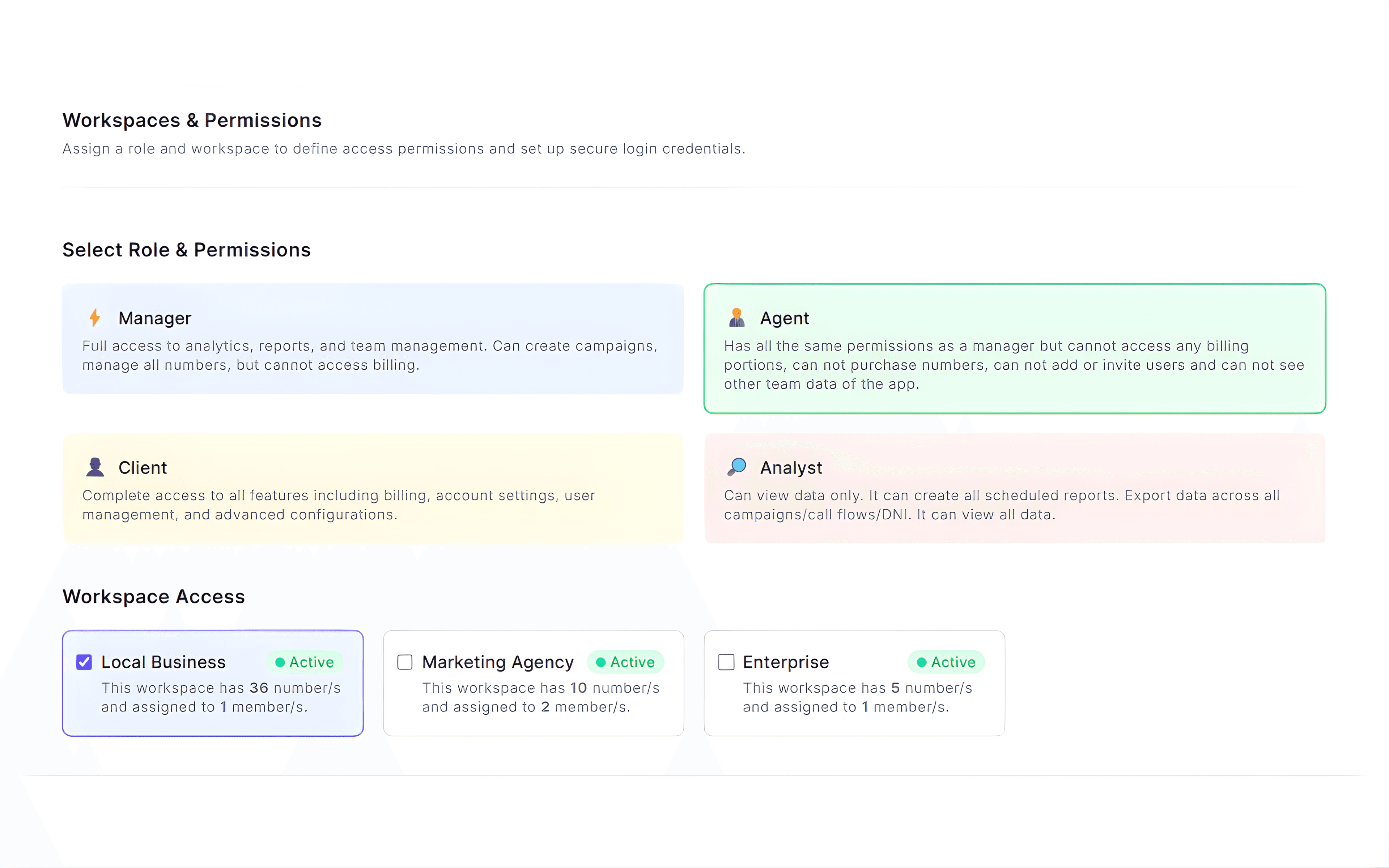
Workspace Access & Team Management
Manage Teams and Control Access Across Workspaces
Organize your teams and control their access across multiple workspaces from one platform. Built as a team management software, CallGauge AI helps businesses assign responsibilities and maintain secure collaboration. Assign members to specific environments, define their permission levels and ensure each team only sees those campaigns, numbers and reports which are relevant to them.
Built for Every Team
CallGauge AI workspaces make it easier for different teams to manage their own campaigns, numbers and reports while keeping access organized and secure.
Agencies
Manage multiple clients with separate workspaces for each account and simplify call tracking for agencies.
Sales Teams
Give sales teams access only to the numbers, calls and reports they handle.
Marketing Teams
Track campaign performance within dedicated marketing workspaces.
Operations & Admin
Control workspace access, permissions and team organization.
Manage Teams and Workspaces From One Platform
Organize teams, control access and keep every workspace structured. Start using CallGauge AI to manage calls, campaigns and performance across your teams.
No credit card required · Cancel anytime
Workspaces & Team Management FAQs
What is a workspace in CallGauge AI?
A workspace is a dedicated environment where different teams can manage different call tracking numbers, campaigns, reports and team members. It helps teams to organize their data when they are managing multiple clients.
Does CallGauge AI support role based permissions?
Yes, CallGauge AI’s role based permissions allow you to control who can view, manage or administer your workspace settings, campaigns and numbers.
Can I assign different team members to specific workspaces?
Yes, you can add team members to individual workspaces effortlessly and control which environments they can access.
How do workspaces help manage multiple clients or teams?
Each workspace keeps its numbers, campaigns, call data and reports separate. This allows agencies and businesses to manage different clients or departments without mixing their data easily.
Are workspaces limited by subscription plans?
Yes, the number of workspaces and team members available may depend on subscription plan. Higher plans support more workspaces and team members.
Can I create multiple workspaces for different clients or departments?
Yes, CallGauge AI supports a multi-client workspace structure that allows agencies and businesses to separate their clients, departments and campaigns while keeping numbers, reports and team members organized.