
Capture Missed Calls with Business Voicemail
CallGauge AI helps you capture unanswered inbound calls with business voicemail built into your call tracking workflow. Route missed calls to voicemail, record caller messages, and give your team the context they need to review and follow up.
No credit card required • Setup in less than 5 minutes • Cancel anytime
Missed Call Capture
Let unanswered callers leave a message
Voicemail Recording
Keep caller messages available for review
Call Routing
Send unanswered calls to voicemail
Team Follow-Up
Give teams context for missed callers
Turn Missed Calls into Actionable Voicemail Insights
CallGauge AI helps your team review missed calls with voicemail recordings, AI transcription, sentiment analysis, intent detection, and call attribution. Understand why callers reached out, prioritize important messages, and follow up with the right context.
AI-Powered Voicemail
Review Every Voicemail with the Context Your Team Needs
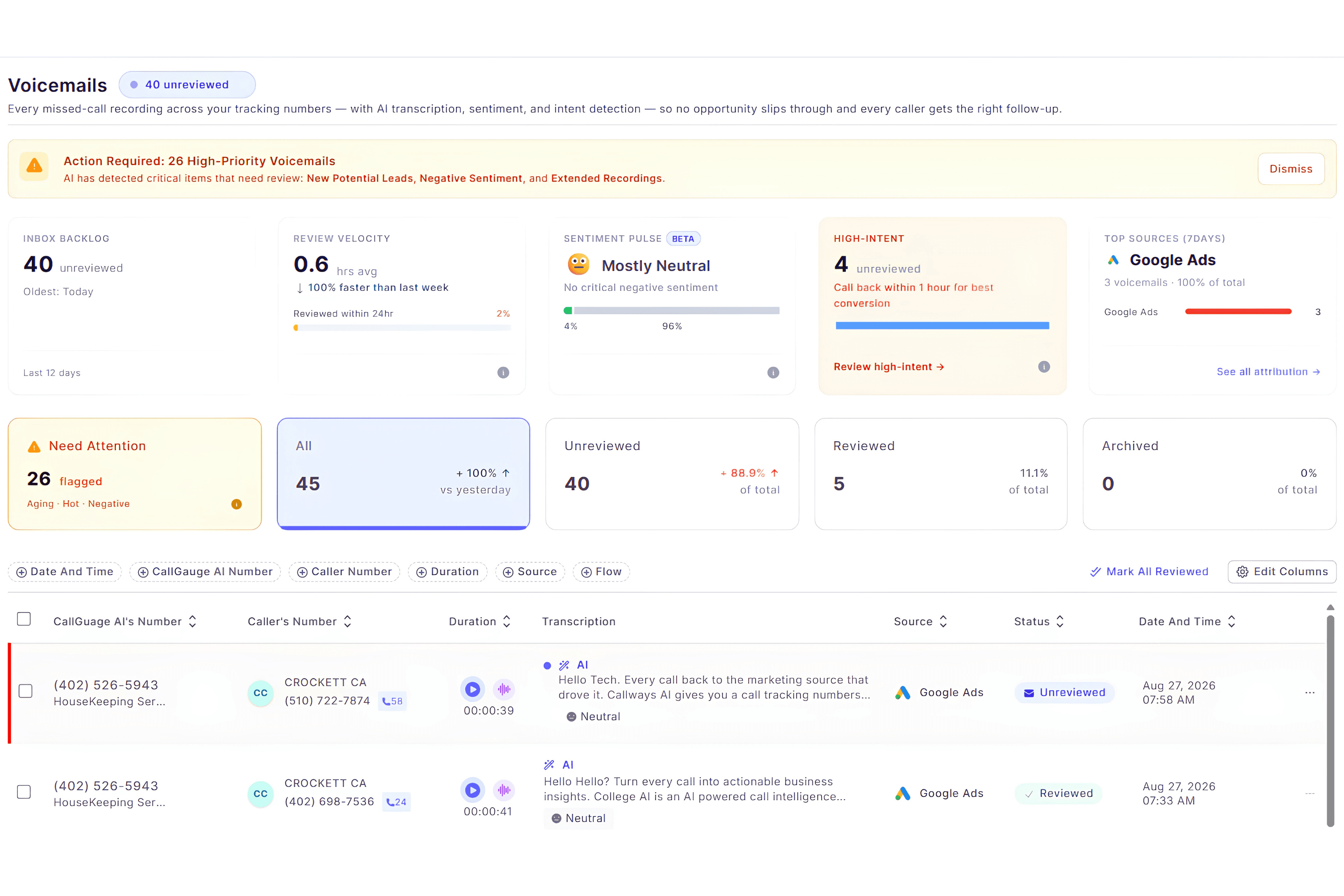
Go beyond listening to voicemail recordings. CallGauge AI brings the recording, transcription, AI insights, attribution data, and caller details together in one place so your team can understand each missed call and decide what to do next.
AI Transcripts & Summaries
Review the full voicemail transcript and an AI-generated summary without replaying the entire recording.
Sentiment & Intent Insights
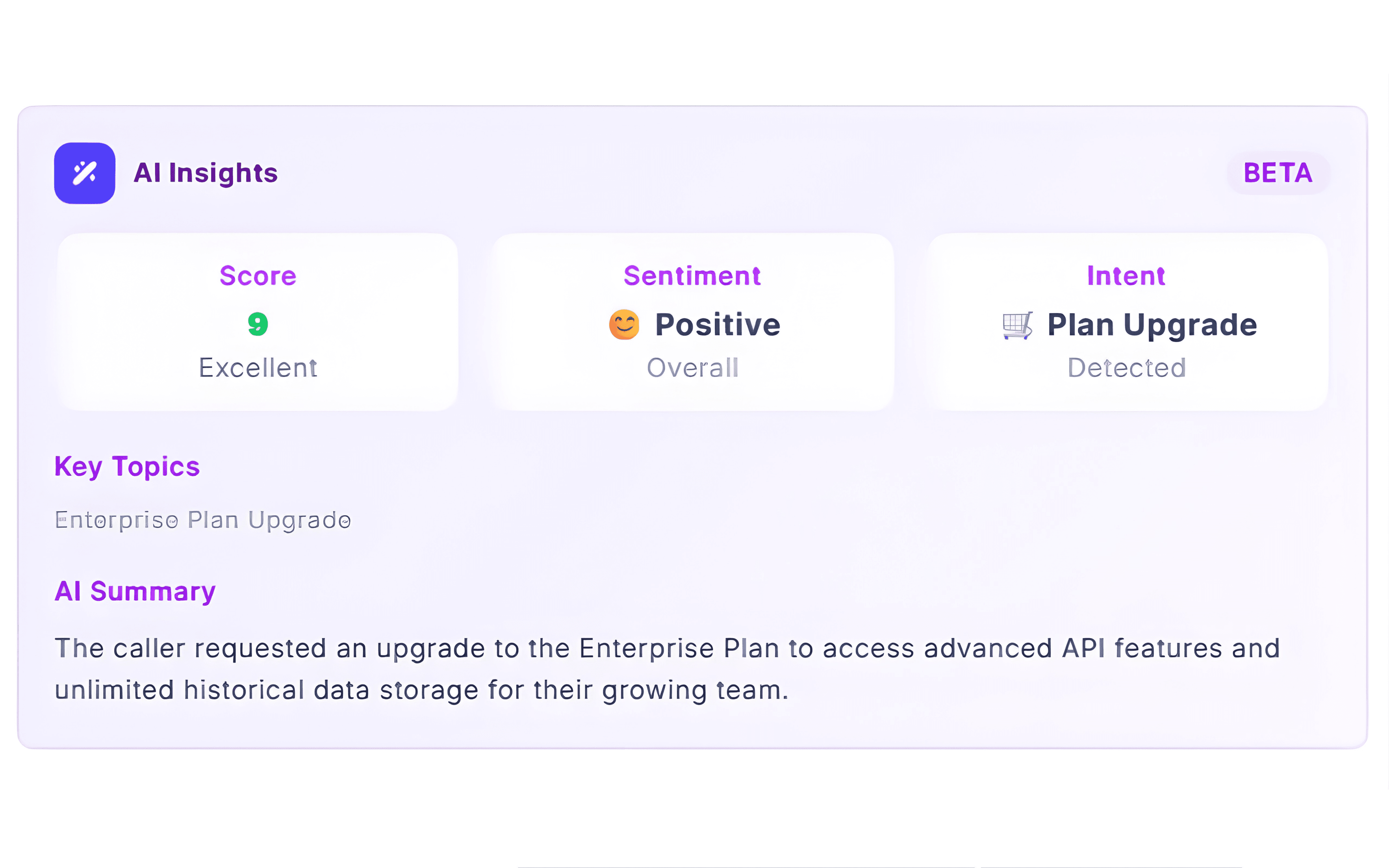
Understand caller sentiment, detected intent, and conversation topics to quickly identify what each caller needs.
Source & Call Attribution
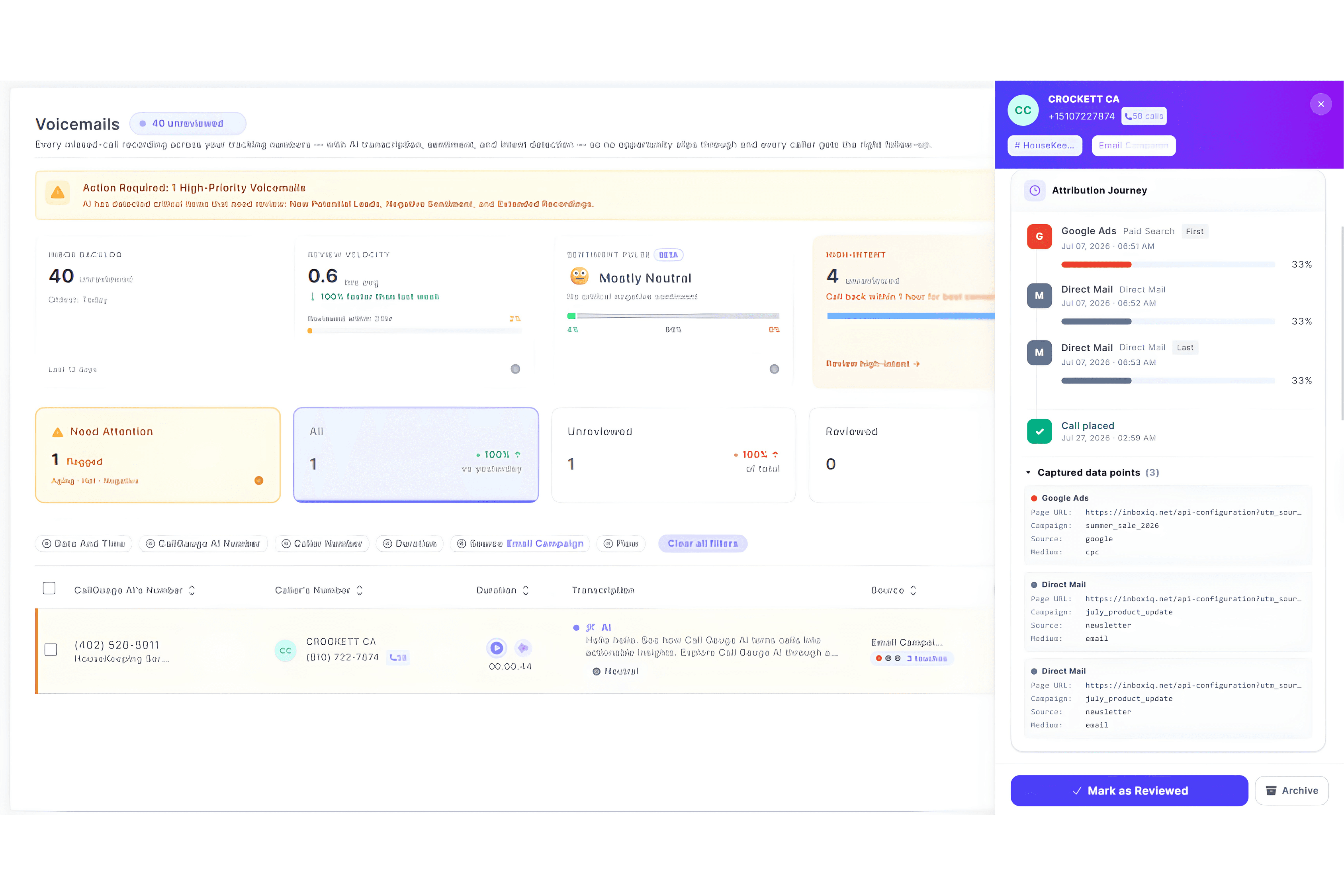
See the marketing source and tracking number associated with the voicemail to understand where the missed call came from.
AI Voicemail Insights
Understand Every Voicemail Before You Follow Up
CallGauge AI combines voicemail recordings with AI transcription, sentiment analysis, intent detection, and call attribution. Quickly understand why someone called, identify important missed calls, and give your team the context they need before following up.
How CallGauge AI Voicemail Works
Turn missed calls into organized, actionable conversations with voicemail recording, AI analysis, call attribution, and a simple review workflow.
Capture the Voicemail
When an inbound call reaches voicemail, the caller can leave a recorded message that is captured and available for your team to review.
Analyze with AI
CallGauge AI transcribes the voicemail and analyzes the conversation for caller sentiment, intent, important topics, and a concise summary.
Prioritize What Matters
Use AI insights and voicemail status to identify messages that need attention and prioritize high-intent callers for faster review.
Review and Follow Up
Review the recording, transcript, caller details, and attribution data, then take the appropriate follow-up action and mark the voicemail as reviewed or archived.
Key Benefits of AI-Powered Voicemail
CallGauge AI helps your team turn missed calls into useful follow-up opportunities with voicemail recording, AI transcription, caller intent, sentiment insights, and call attribution. Review important messages faster and keep voicemail activity organized in one place.
Capture Missed Call Context
Record voicemail messages from unanswered calls so your team can understand what the caller needed before following up.
Faster Voicemail Review
Use AI transcription and summaries to understand voicemail content without replaying every recording from start to finish.
Understand Caller Intent
Review detected intent, sentiment, and conversation topics to understand why the caller reached out and what they may need next.
Prioritize Important Messages
Identify high-intent or attention-worthy voicemail messages so your team can review the most important missed calls first.
Keep Source Attribution
See the tracking number and marketing source connected to the voicemail so missed calls remain part of your attribution data.
Organize Team Follow-Up
Mark voicemails as reviewed or archived, add notes, and keep follow-up activity organized across your team.
Voicemail Use Cases
AI Voicemail for Teams That Depend on Inbound Calls
CallGauge AI helps teams capture missed-call voicemails, understand caller intent, review AI-generated insights, and prioritize follow-up while keeping call attribution and caller context connected to each message.
Marketing Agencies
Review missed-call voicemails across client tracking numbers while keeping campaign and source attribution connected to each message.
Sales Teams
Identify high-intent prospects, review voicemail summaries and caller intent, and prioritize the most valuable follow-up opportunities.
Customer Support Teams
Understand why customers called, review voicemail transcripts, and use conversation context to respond more effectively.
Multi-Location Businesses
Manage voicemail activity across locations and tracking numbers while keeping caller details and source information organized.
Service Businesses
Capture voicemail messages for appointments, quotes, enquiries, and service requests when your team cannot answer immediately.
Busy & After-Hours Teams
Capture missed-call messages outside normal answering hours and give your team the context needed for follow-up when they return.
Turn Missed Calls into Actionable Voicemail Insights
Capture voicemail recordings, review AI transcripts and caller insights, and give your team the context they need to prioritize follow-up on unanswered calls.
No credit card required · Setup in less than 5 minutes · Cancel anytime
Voicemail FAQs
How does CallGauge AI voicemail work?
When an inbound call reaches voicemail, the caller can leave a recorded message. CallGauge AI keeps the voicemail recording together with available caller details, tracking information and AI-generated insights so your team can review the missed call and decide what to do next.
Are voicemail messages automatically transcribed?
Yes. Recorded voicemail messages can be converted into text transcripts so your team can review the content without replaying the entire recording.
Does CallGauge AI analyze voicemail sentiment and intent?
Yes. CallGauge AI can analyze voicemail conversations for signals such as caller sentiment, detected intent and important conversation topics, helping your team understand why the caller reached out.
Can I see which marketing source generated a voicemail?
Yes. When attribution data is available, CallGauge AI can show the tracking number and marketing source connected to the voicemail so missed calls remain part of your call attribution workflow.
Can my team prioritize important voicemail messages?
Yes. The voicemail dashboard helps your team identify messages that need attention, including high-intent voicemail activity, so important missed calls can be reviewed and followed up more quickly.
Can I manage voicemail follow-up inside CallGauge AI?
Yes. Your team can review voicemail recordings, transcripts, AI insights and call details, then organize follow-up by marking messages as reviewed or archived and adding internal notes where needed.