
Build smarter call flows in minutes
A call flow is the blueprint for how your business handles inbound phone calls, from the first greeting to the final action.CallGauge AI helps you build intelligent call routing experiences with IVR menus, routing rules and flexible call handling that adapt to your business goals.
No credit card required · Set up your first flow in minutes.
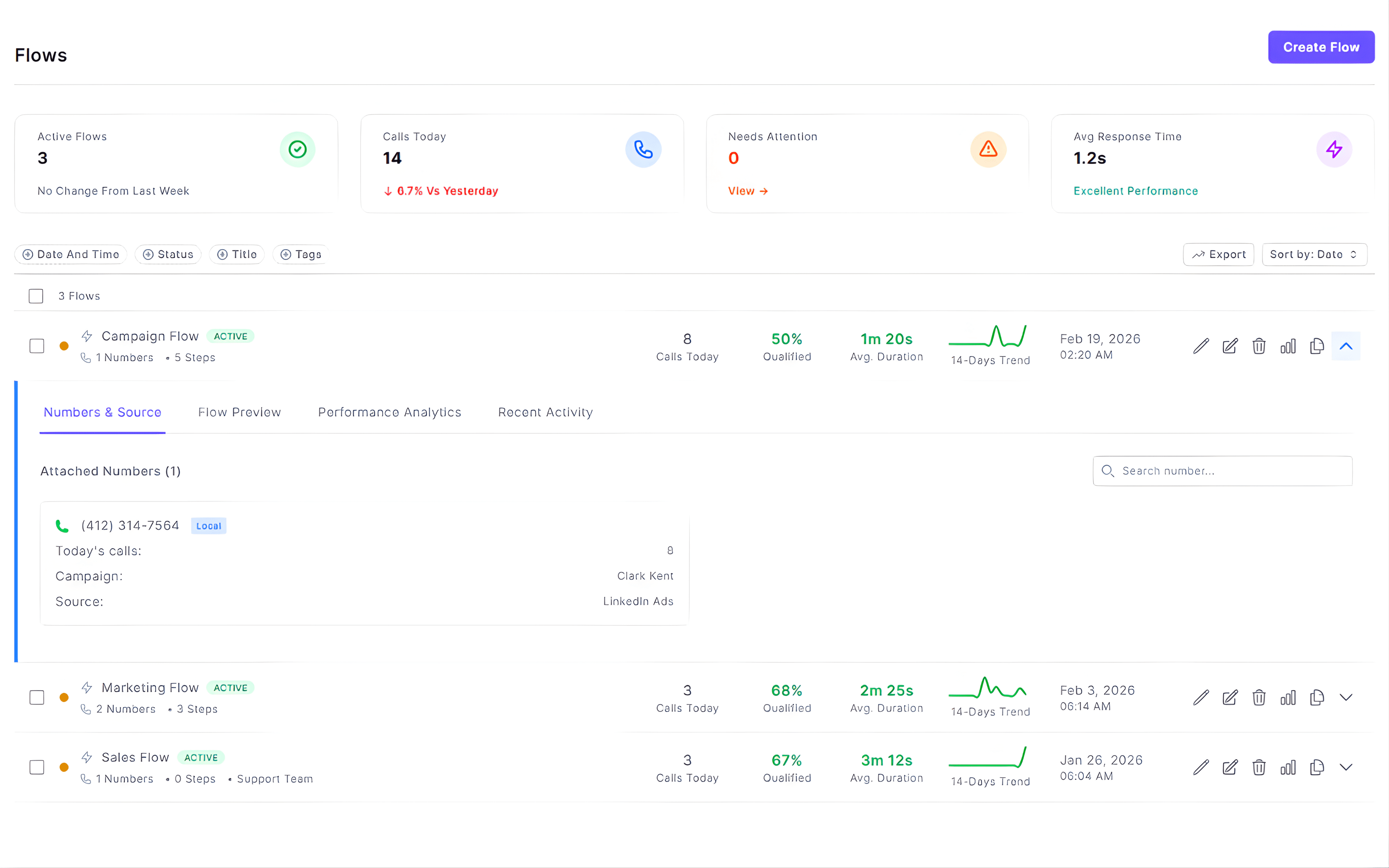
Smart Routing
Route calls based on business hours and holiday schedules.
Smart Call Forwarding
Forward calls with intelligent fallback routing.
Multi-Ringing
Ring multiple numbers at once to reduce missed calls.
AI Voicemail Routing
Use AI voicemail greetings with instant SMS alerts.
Smart call routing transforms your inbound lead handling
Call flows do more than just routing your inbound calls. They you help create structured phone experiences that improve response times, caller experience and lead conversion.
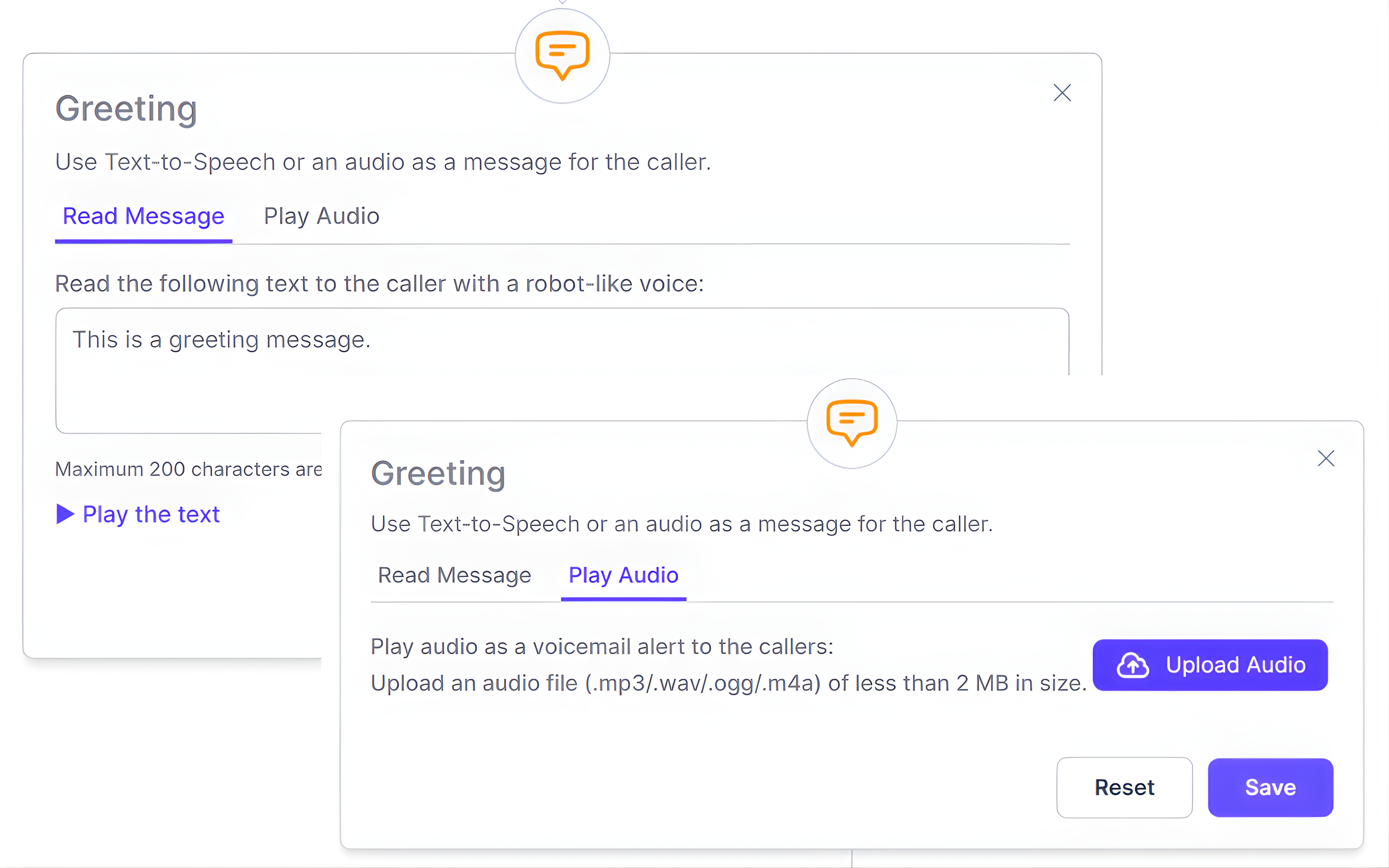
Customized Greetings
Make every call feel professional from the start
Add a customized greeting before your inbound calls connect. Use CallGauge AI text-to-speech feature for quick updates or upload your own audio files to keep messaging consistent and professional.
- Generate AI text-to-speech greetings instantly
- Upload custom WAV or MP3 audio files
- Add call disclaimers and compliance notices
- Keep branding consistent across inbound calls
- Update greetings for promotions or announcements
Smart Call Forwarding
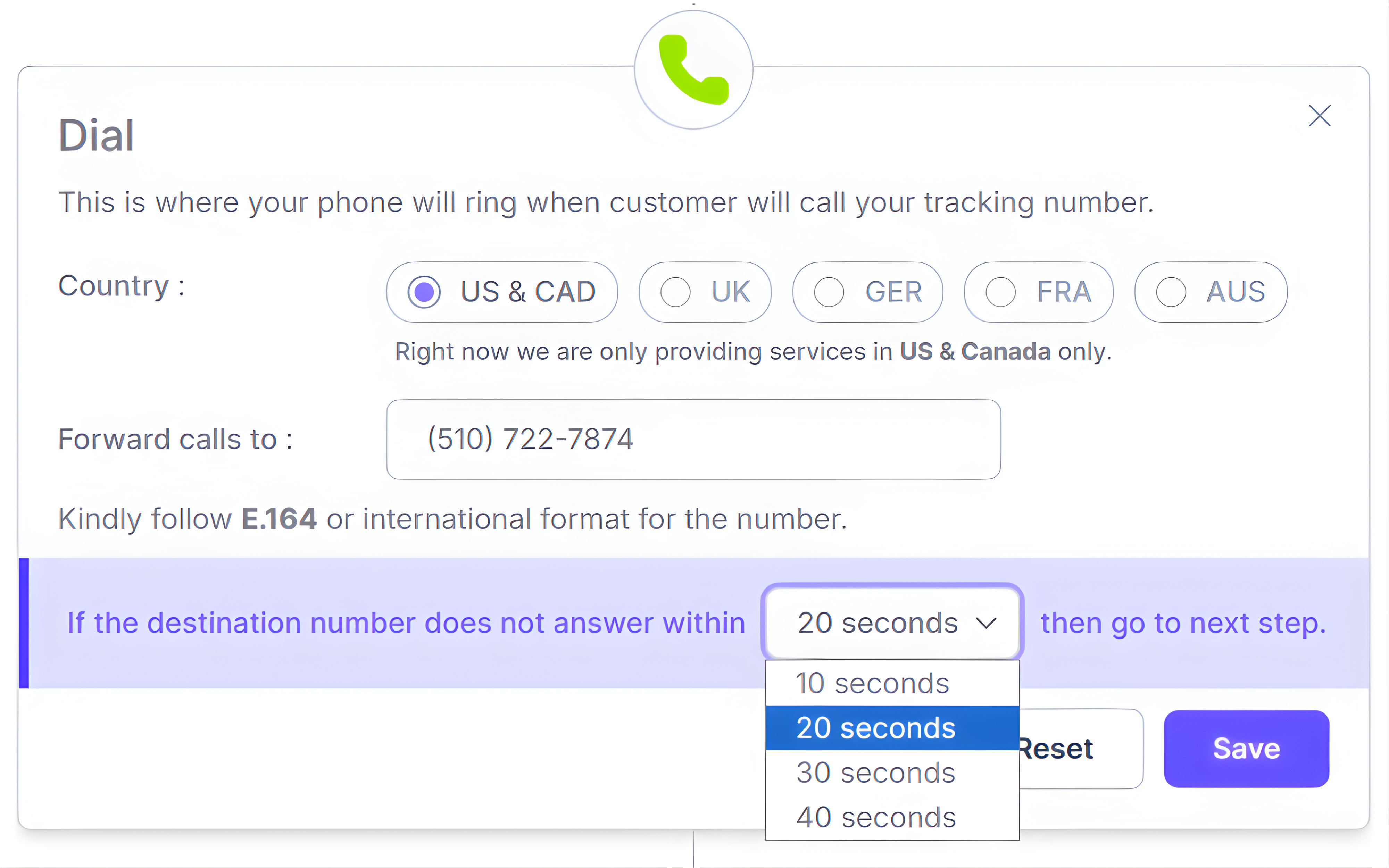
Forward calls instantly to the right person or team
Route your incoming phone calls to sales, support teams or client numbers in seconds. Control your ring time, fallback routing and call distribution to reduce missed or misrouted calls.
- Forward calls to agents, teams, clients or external numbers
- Customize ring time from 10 to 40 seconds
- Use intelligent fallback routing for unanswered calls
- Choose sequential, simultaneous or round robin call routing
- Route inbound calls by business hours, after-hours or holidays
- Prioritize VIP callers or high-intent leads automatically
AI Voicemail Routing
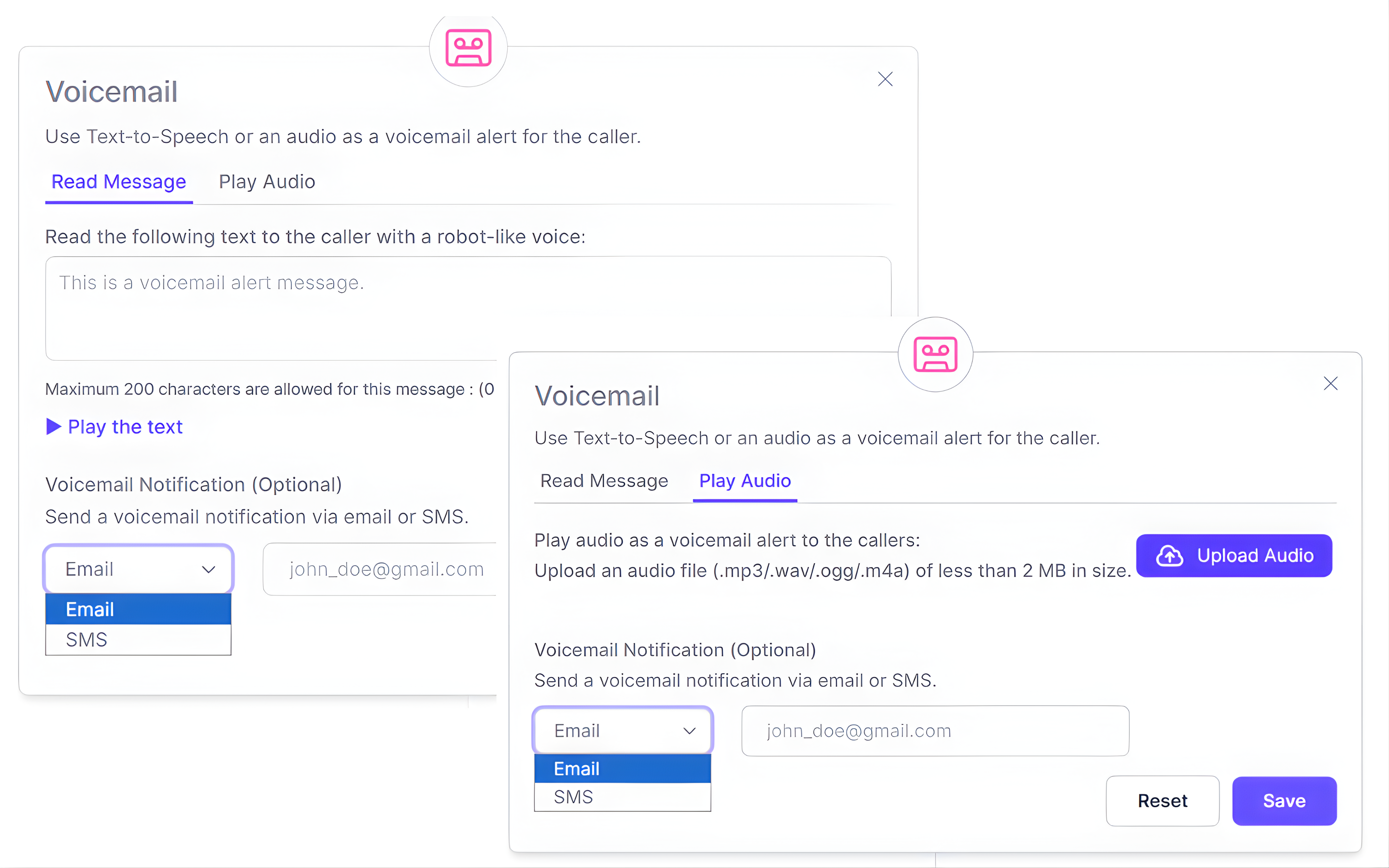
Automatically route unanswered calls to voicemail
When no one answers the phone call, send your callers to a branded voicemail using text-to-speech option or your own recorded message. Every voicemail is stored in your dashboard and can be forwarded instantly to your team or clients via SMS.
- Generate AI text-to-speech voicemail greetings in seconds
- Upload custom WAV or MP3 voicemail recordings
- Save and manage voicemails from one dashboard
- Send voicemail alerts instantly via SMS
- Route voicemails by team, client or campaign
- Send callers directly to voicemail when needed
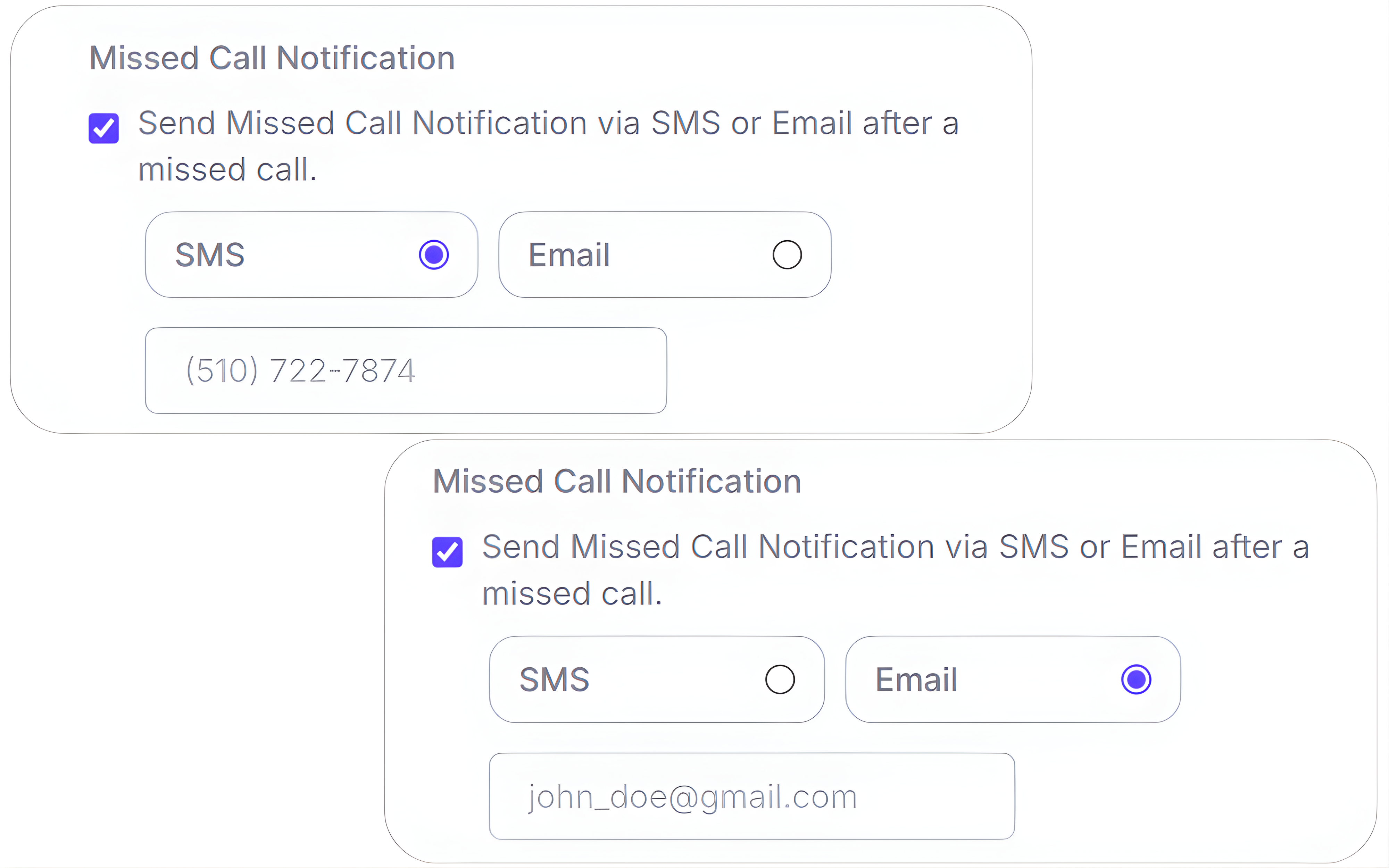
Missed Call Texts
Automatically send a text when a call goes unanswered
Do not let your missed calls turn into lost revenue. CallGauge AI automatically sends an SMS when a forwarded inbound call goes unanswered which helps you respond faster and keep your leads engaged.
- Send an instant SMS after a missed call
- Redirect callers to a booking link or lead form
- Notify your team or client for fast follow-up
- Personalize messages by call flow or campaign
- Include the caller number in the SMS for added context
Email Notifications
Real-time email alerts for qualified calls
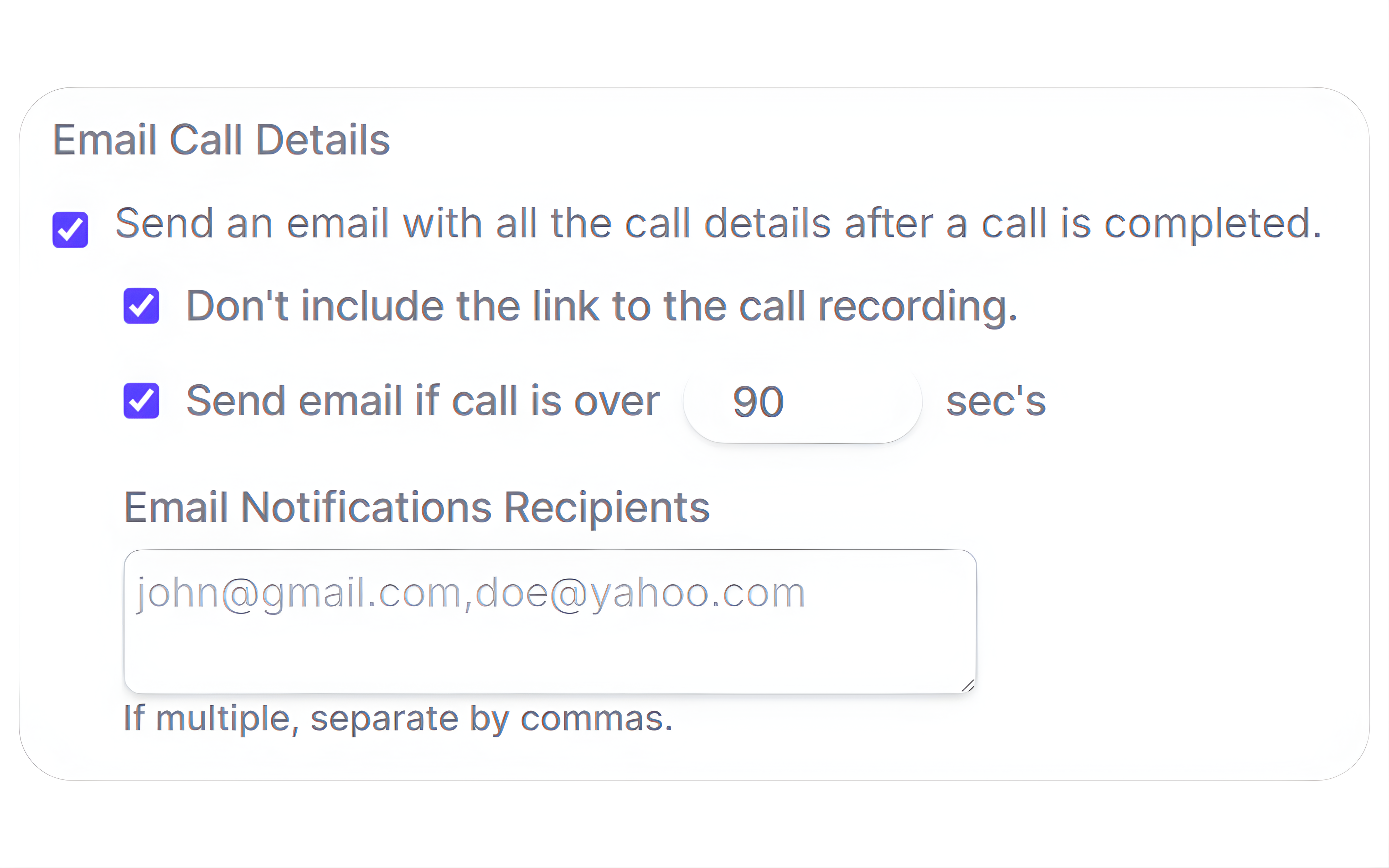
Stay fully informed when your high-intent inbound calls come through. Receive automated email alerts after each inbound call, with filters that help keep your inbox more focused and actionable.
- Receive an email alert after every inbound call
- Filter alerts by call duration (default: 90 seconds)
- Reduce noise from spam, bots and low-quality calls
- Route alerts to yourself, your team or your client
- Trigger faster follow-up and improve speed-to-lead
Business Hours and Scheduling
Smart call routing based on time, day and time-zone
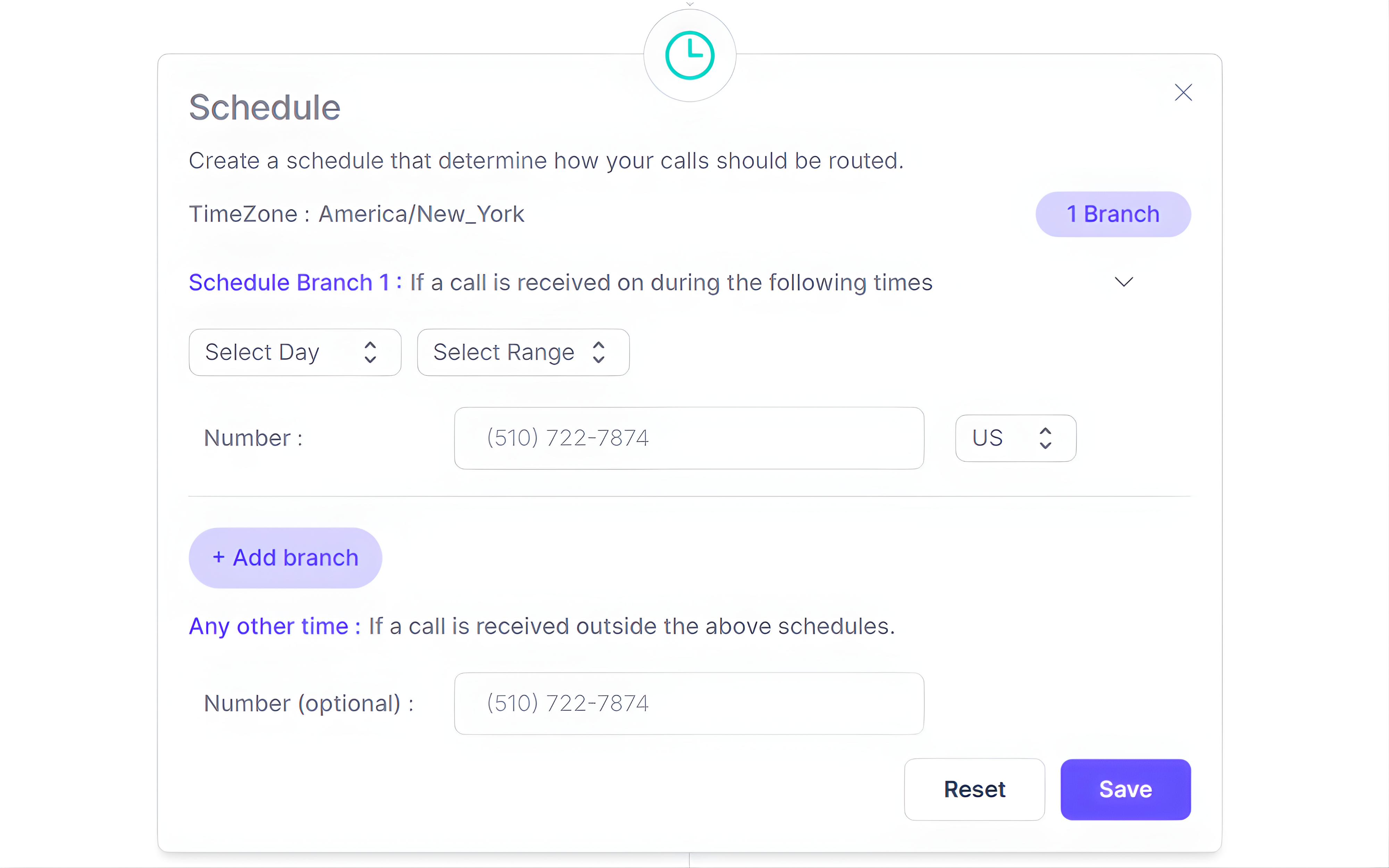
Set different routing rules for your business hours, after hours, weekends and holidays. Ensure your every caller reaches the right person or receives the right response, even when your team is offline.
Business hours routing
Route your inbound calls to the right person or team during working hours.
After-hours settings
Send your phone calls to voicemail, backup numbers or support teams after hours.
Holiday scheduling
Create your own custom routing schedules for holidays and planned closures.
Time-zone support
Route your incoming calls based on the caller’s local time zone.
AI Call Tree
Build intelligent call trees for precise routing
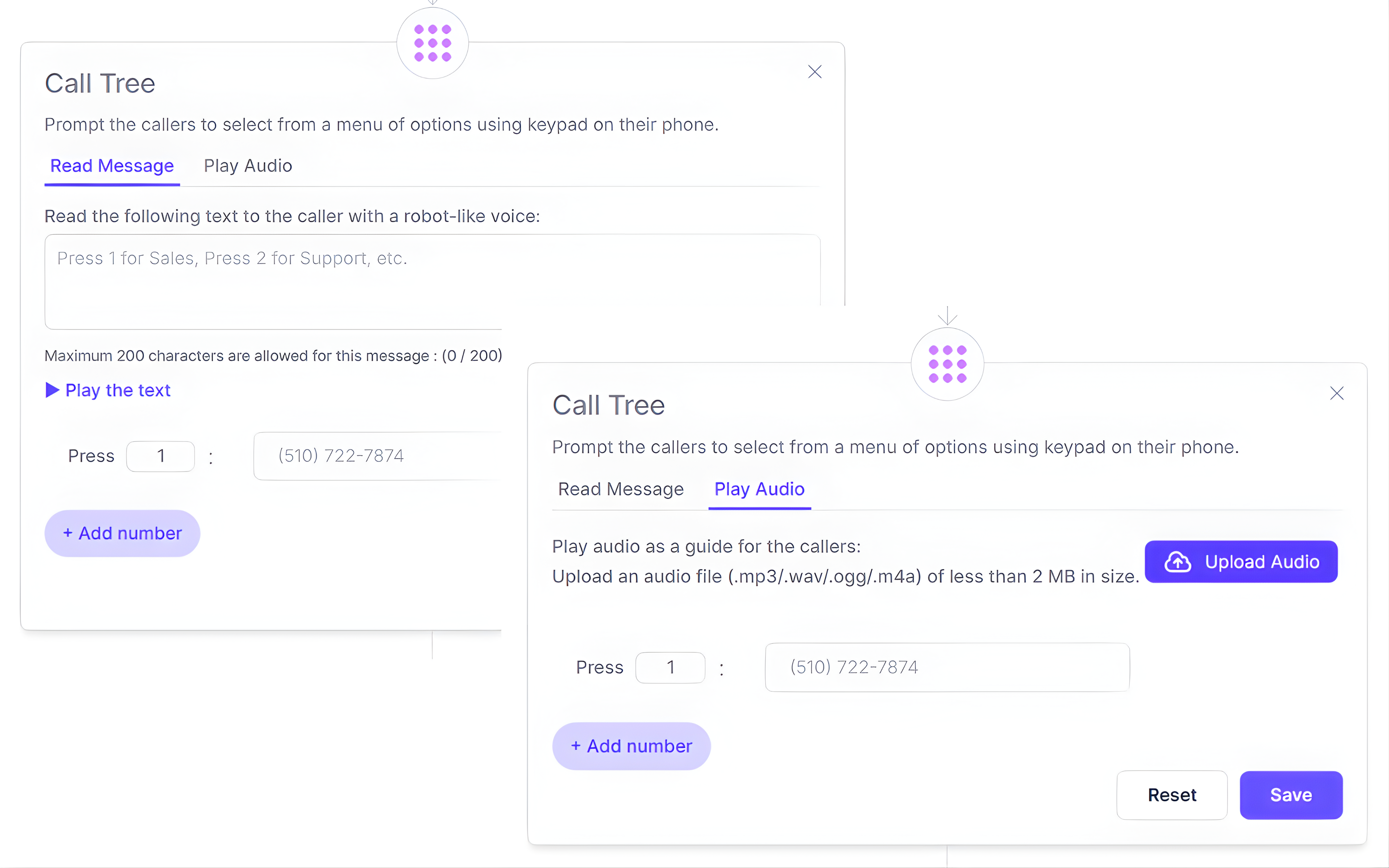
Guide your callers to the right department by using keypad-based IVR menus and structured inbound call routing. Create your custom call trees for Sales, Support, Billing or other teams while improving caller experience and reducing unnecessary transfers.
- Create multi-level call tree menus with Press 1, Press 2 logic
- Customize voice prompts with AI text-to-speech or recorded audio
- Route inbound calls to teams, agents or external numbers
- Combine call trees with business hours and holiday routing
- Maintain consistent routing across campaigns and locations
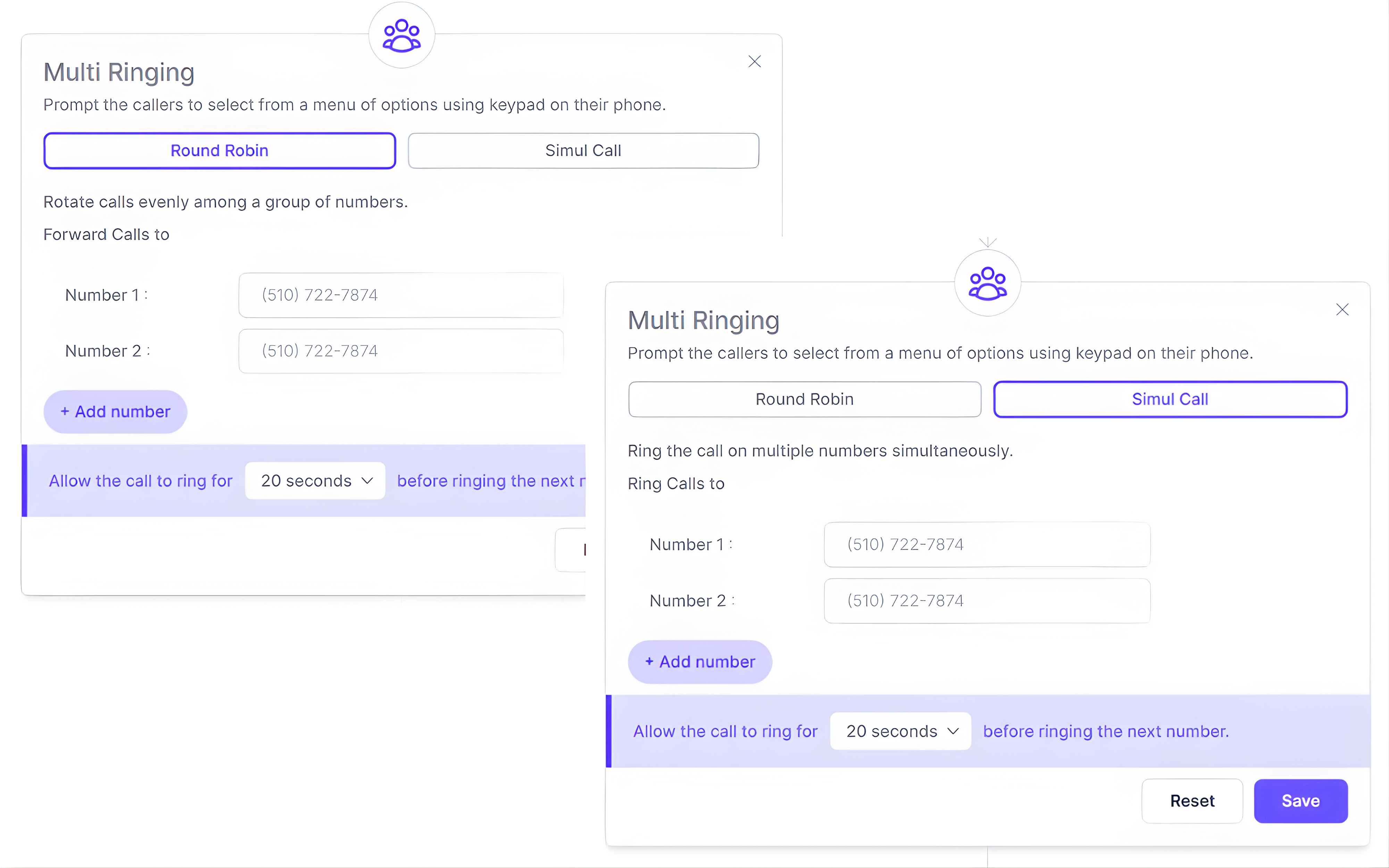
Multi-Ringing
Ring multiple numbers at once to reduce missed calls
Improve your response times by ringing multiple team members simultaneously. The first available person answers the call which reduces missed calls for high-intent and time-sensitive inbound inquiries.
- Ring up to 10 phone numbers at the same time
- Connect your callers to the first available agent without any manual transfers
- Reduce your missed calls during busy business hours
- Improve lead distribution across your teams or locations
- Combine with missed-call texts and voicemail fallback
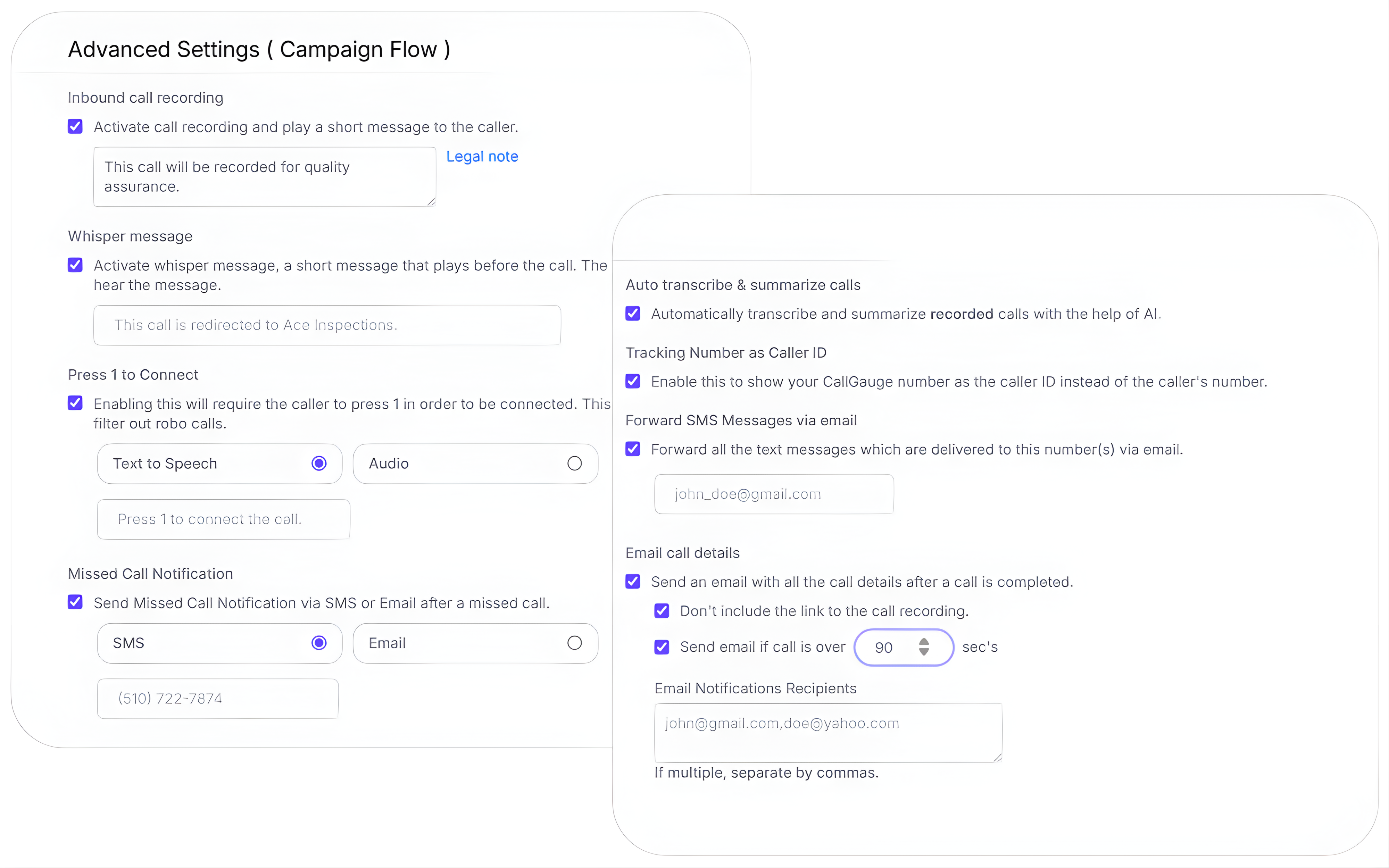
Additional features and settings
Advanced call flow controls for precise inbound routing
CallGauge AI gives you access to advanced call flow controls that help you manage your inbound calls are routed, filtered and handled across your teams.
Pricing and Plans
Start with one call flow, scale without limits
Create your first call flow free. Add more flows and numbers, enable advanced routing as your team and inbound volume grow.Comparing routing-focused call tracking platforms? Compare CallGauge AI with Ringba to see how the platforms differ across call routing, attribution, AI call intelligence and agency workflows.
Start with one flow
Launch your first call flow with basic routing and call handling in minutes.
Add IVR and screening
Enable Press 1 to Connect, multi-level IVR menus and spam filtering.
Scale without limits
Create unlimited call flows across teams, campaigns and locations.
No credit card required· Cancel anytime · Upgrade anytime
Ready to build smarter call flows?
Launch your first smart call flow in minutes with CallGauge AI. Add unlimited phone numbers, manage routing and IVR flows and track everything from one single dashboard.
No credit card required. Setup in minutes.
Call Flow FAQs
What is a call flow?
A call flow is a step by step process that controls how calls are handled from start to end. It includes greetings, IVR menus, call routing, voicemail, multi-ringing and business hours routing to help callers reach the right person faster.
How many numbers can I add to one call flow?
You can add multiple call tracking numbers to a single call flow without any difficulty. This helps you manage routing rules across your campaigns, teams or locations without reconstructing the whole setup each time.
Can I create different call flows for different campaigns?
Yes, you can create separate call flows for your different campaigns, service lines, teams or locations. Each flow can have its own routing, IVR and call handling rules.
Can I customize how my call flow works?
Yes, you can customize every step of your call flow easily, including IVR menus, Press 1 to Connect, voicemail routing, multi-ringing, business hours scheduling and call recording.
Do I need to inform callers about call recording?
Call recording laws vary by country and state. If required, you can add a disclaimer or greeting message to notify your callers before call recording begins.
Does creating multiple call flows affect call tracking or attribution?
No, each call flow can be connected to different phone numbers, campaigns or traffic sources while keeping your call tracking and attribution reporting separate.
Can I use call flows for different locations or regions?
Yes, you can create separate call flows for your different offices, cities or regions. Business hours routing and time-zone rules help you route your inbound calls correctly for each location.
What happens if no one answers a routed call?
You can easily create fallback routing rules such as voicemail, multi-ringing, backup numbers or alternate routing paths to reduce your missed calls and improve caller response rates.
Can I combine call flows with spam filtering?
Yes, you can use Press 1 to Connect and spam filtering features collectively inside your call flow to block bots, robo-calls and low-intent callers before they reach your team.