
AI-Powered Call Recording
Record conversations, generate instant AI insights and review calls efficiently inside CallGauge AI.
Call recording is a feature that helps you capture every important conversation so your team can follow up confidently and never miss key details. Each call recording is stored in your dashboard along with AI-generated transcripts and summaries for quick understanding.
You will get $15 for free in your account to test our platform!
✅ No credit card required
✅ Setup in less than 5 minutes
✅ Cancel anytime
What is Call Recording in CallGauge AI
CallGauge AI records your inbound phone calls automatically and stores them safely in your account. Each recording is paired with caller details, activity history and AI-powered insights, providing you a complete view of every interaction without requiring any extra effort.
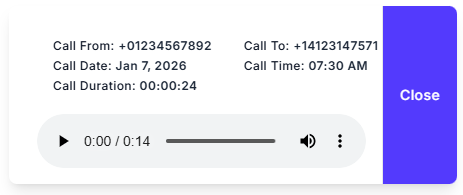
AI-Powered Call Intelligence
CallGauge AI takes your call recordings one step forward with built-in intelligence tools that help you understand call conversations instantly. You get:
Automatic transcripts
Automatic transcripts for fast and easy review
AI-generated summaries
AI-generated summaries that highlight key points
Caller insights
Caller insights such as location, device and call source
These tools save your time and help your team understand each conversation at a glance.
Core Benefits
Better Visibility
Better visibility into every conversation of your customer
Clear Details
Clear details for precise and confident follow ups
Stronger Training
Stronger training for sales and support teams using real life examples
Quality Monitoring
Quality monitoring that helps you to improve performance over time
Quick Access
Quick access to past customer conversations whenever you need them
Compliance Ready
Stay compliant with regulations through configurable caller notifications and secure storage.
How Call Recording Works
Turn On Recording
Turn on the call recording toggle inside your call flow.
Calls Recorded
Phone calls are recorded automatically..
Access Recordings
Listen or download from your call logs.
Review Insights
View transcripts, summaries and caller details all in one place.
Security and Caller Awareness
All of your call recordings are stored securely and accessible only to those who are authorized users.
If required by your region, you can also play a short greeting message to inform your callers that their call may be recorded.
Use Cases
Sales Teams
Sales teams for reviewing calls for better follow ups
Customer Support
Customer support teams for improving response quality
Training & Coaching
Training and coaching for using real call examples
Marketing Agencies
Marketing agencies for proving lead quality to clients
Business Owners
Business owners for monitoring how calls are handled
Compliance Teams
Maintain regulatory compliance with proper recording notifications and secure archives.
Start Using Call Recording
Enable call recording with one click and start capturing conversations that matter.
✅ No credit card required
✅ Setup in less than 5 minutes
✅ Cancel anytime
FAQs – Call Tracking for Agencies
How do I enable call recording?
You can easily toggle it on inside the advanced settings of your call flow.
Can I download recordings?
Yes, you can download your call recordings from your call logs.
Does recording affect call quality?
No, it does not affect the quality of call, it works silently in the background.
Do I need to notify callers?
It depends on the law in your region. A greeting message can be added easily.